Best budget
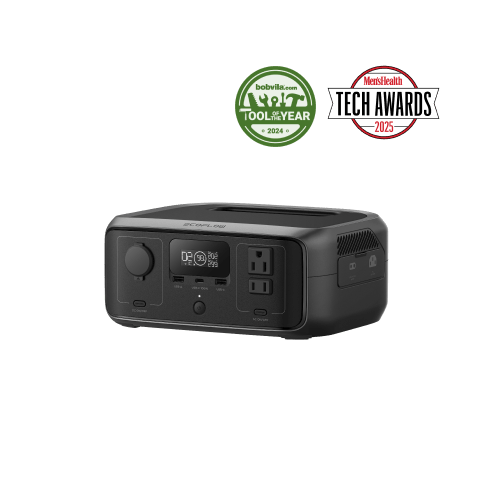
EcoFlow
EcoFlow RIVER 3 Portable Power Station
- 245Wh
- 300W AC
- $149–$219
Keeps internet, phones, and lights alive through an evening outage for the least money.
See current priceBest Picks
Honest, no-hype picks and side-by-side comparisons of every way to keep things powered — so you buy the right class of gear once, not twice.
If you just want a straight answer: the three stations we would point most people at, by budget. Size your own load with the calculators before you buy.
Some links on this page may be paid links. If you buy through them, Cynosure LLC may earn a commission at no extra cost to you. We do not claim to have personally tested products unless clearly stated.
Best budget
EcoFlow
Keeps internet, phones, and lights alive through an evening outage for the least money.
See current priceBest mid-size
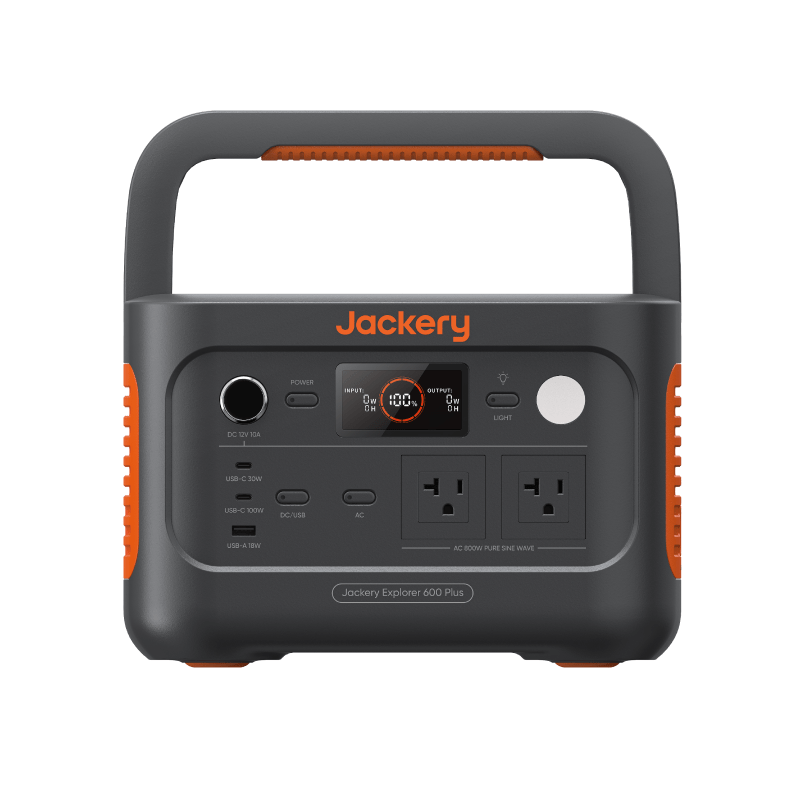
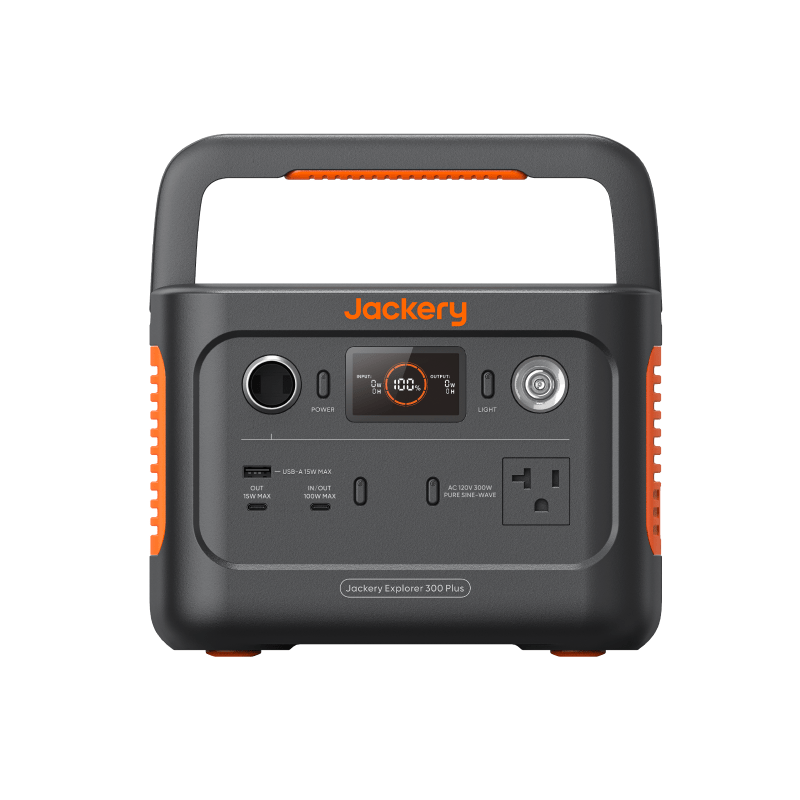
Jackery
A full work-from-home day — laptop, router, phones — at a weight you can still carry.
See current priceBest for big outages
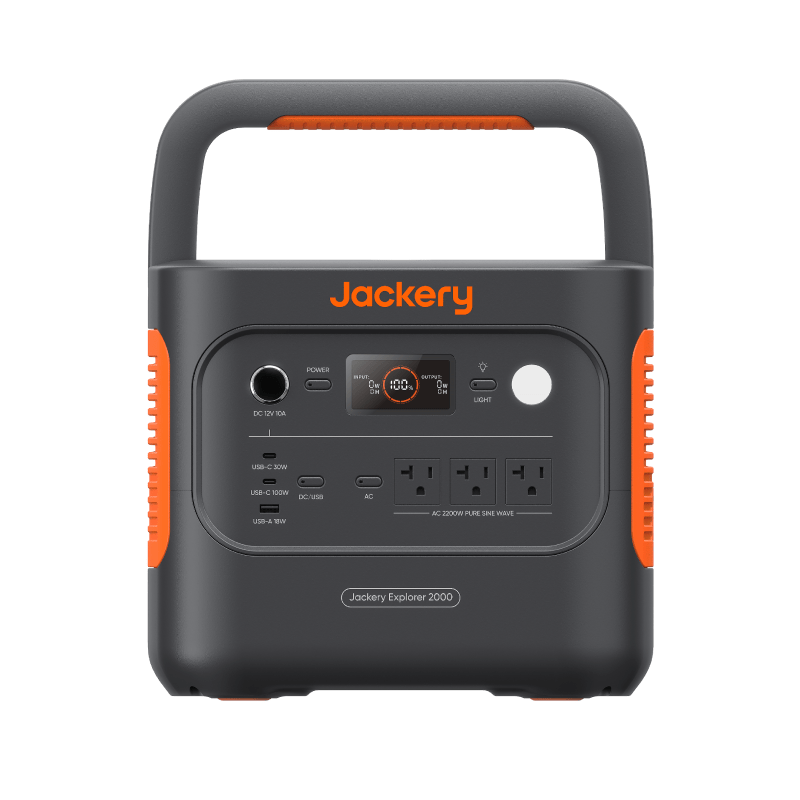
Jackery
Days of essentials, or a full-size fridge in duty cycles, when the outage runs long.
See current priceThese three are the shortcut — not the whole catalog.
Browse all 27 picks, including power stations, UPS units, solar gear, charging accessories, and outage essentials.
Prices last checked between 2026-07-08 and 2026-07-09; review overdue — verify current listings. We have not hands-on tested these units — verify capacity, output, and current price on the listing. Not sure which size fits?Size your load first ortake the Gear Finder.
Affiliate disclosure
Some links on this page may be paid links. If you buy through them, Cynosure LLC may earn a commission at no extra cost to you. We do not claim to have personally tested products unless clearly stated.
Measurement status: these comparisons use published specifications and planning formulas, not hands-on results. Ourversioned physical-test protocol is public, but product results published remains 0.
Two very different answers to the same outage — one protects what is already plugged in, the other powers whatever you bring to it.
A battery backup UPS (uninterruptible power supply) lives between the wall and your equipment. When the grid drops, it switches to its internal battery in milliseconds — fast enough that a desktop computer, NAS drive, or modem never notices. That instant switchover is the whole point. What a UPS does not give you is meaningful runtime: the sealed lead-acid battery inside a typical $100 tower often holds only about 80–120Wh on paper, and manufacturer runtime charts often show only one to a few hours even at small loads, because inverter overhead eats a large share at low draw.
A portable power station is the opposite trade. It won’t (usually) switch over automatically — you plug things in after the lights go out — but it carries far more usable capacity, recharges from a wall outlet, a car port, or a solar panel, and works anywhere: the kitchen table, a campsite, the car. For the same router-and-modem load, a 300–500Wh station is estimated at ≈ 15 hr to ≈ 32 hrusing our standard formula, versus the one-to-four-hour reality of most consumer UPS units.
Price tells the same story. A UPS is cheaper up front ($60–$150) but is single-purpose furniture. A power station costs more ($150–$450 for the small classes) and does more jobs. Some stations now advertise a UPS or pass-through mode — if hands-off switchover matters to you, verify the claimed switchover time on the spec sheet before counting on it.
| Factor | Battery backup UPS (~600W / ~100Wh) | Small power station (300–500Wh) |
|---|---|---|
| Switchover | Instant (milliseconds) — plugged-in gear never notices | Manual — you plug in after power drops (verify any advertised UPS mode) |
| Router + modem runtime (~15W) | Often 1–4 hr — check the model’s runtime chart | ≈ 15 hr to ≈ 32 hr estimated |
| Portability | None — built to live under a desk | 7–17 lb, built to move around the home or beyond |
| Recharging | Wall outlet only | Wall, 12V car port, or solar panel |
| Battery lifespan | Lead-acid typically needs replacement every 3–5 years | Lithium chemistries; LiFePO4 models are rated for thousands of cycles |
| Typical cost | $60–$150 | $150–$450 |
| Best for | Desktops, NAS drives, and flicker-prone grids | Multi-hour outages and flexible use anywhere |
Some links on this page may be paid links. If you buy through them, Cynosure LLC may earn a commission at no extra cost to you. We do not claim to have personally tested products unless clearly stated.
| Product | Capacity | Output | Ports | Weight | Est. price | Ideal for | Link |
|---|---|---|---|---|---|---|---|
| CyberPower CP1000PFCLCD PFC Sinewave UPSCyberPower | 108Wh | 600W AC | AC battery-backed ×5, AC surge-only ×5, USB-A + USB-C charging (3.1A shared) | 15.4 lb | $130–$200 | Instant switchover for desktop PCs and NAS drives, Router and modem backup without unplugging anything, Bridging brief outages, flickers, and brownouts with AVR | See current price |
| 1500VA pure sine wave UPSBy category | — | 900W AC | Battery-backed AC outlets, Pure sine wave output, Automatic voltage regulation | 20–30 lb | Varies — compare listings | Desktop PCs, NAS devices and networking racks that need instant switchover, A longer runtime ceiling than a 1000VA-class UPS, Active-PFC computer power supplies that benefit from sine wave output | Shop on Amazon |
| EcoFlow RIVER 3 Portable Power StationEcoFlow | 245Wh | 300W AC | 3× AC outlet (300W, 600W X-Boost), USB-C, USB-A, Car port | 8.4 lb | $149–$219 | Keeping a router, modem, phones and small electronics running for hours, A light, grab-and-go outage or travel unit, Fast recharge with sub-20ms UPS passthrough | See current price |
| Jackery Explorer 300 Plus Portable Power StationJackery | 288Wh | 300W AC | AC ×1 (300W, 600W surge), USB-C ×2 (100W max), USB-A ×1, 12V car port | 8.27 lb | $200–$300 | Router and modem backup for a workday, Charging phones and tablets for days, A laptop for a few hours via the 100W USB-C port, Car trips and short outages | See current price |
| Jackery Explorer 600 Plus Portable Power StationJackery | 632Wh | 800W AC | AC ×2 (800W total, 1600W surge), USB-C 100W, USB-C 30W, USB-A 18W, 12V car port | 16.1 lb | $300–$500 | A full laptop workday plus phone charging, A day or more of router and modem backup, Weekend camping electronics, Fans, lights, and a CPAP-class device together | See current price |
Prices last checked between 2026-07-08 and 2026-07-15; review overdue — verify current listings
Specific products and clearly labeled category searches we recommend by class — we have not hands-on tested them, so verify capacity, output, and current price on the listing before buying. Commissioned links, at no extra cost to you.
Which should you pick?
Pick the UPS if the goal is equipment that must never lose power for even a second — a desktop PC, a NAS, a home office on a flickery grid. Pick thepower station if your outages are measured in hours and you want one battery that also handles trips, blackouts in other rooms, and everything else.
Go deeper: Power station vs UPS vs power bank guide· Battery Runtime Calculator
The dividing line is simple: does anything you need to power require an AC wall plug?
A large USB power bank — the 25,000mAh class holds roughly 90Wh — is the cheapest, lightest way to keep phones, tablets, earbuds, hotspots, and a travel router alive for days. It slips into a bag, and because it sits under the 100Wh limit most airlines enforce, it can fly in your carry-on. Its hard limit is just as simple: no AC outlet. If a device charges over USB, a power bank covers it; if it needs a wall plug, it doesn’t.
A 300Wh power station costs three to four times as much and weighs 7–10 lb, but it adds the AC outlet, roughly triple the capacity, and 12V output. That turns “keep my phone alive” into “run my router, charge my laptop the normal way, and power a light for the evening.” Airlines, however, will not accept it — power stations stay home or travel by car.
Many people reasonably end up with both: the power bank as the everyday and travel layer, and a station as the home outage layer. If the budget only covers one, decide based on the single device you most need in an outage — and check its plug.
| Factor | 25,000mAh power bank (~90Wh) | 300Wh power station |
|---|---|---|
| Outputs | USB-C and USB-A only | AC outlet plus USB and 12V car port |
| What it can run | Anything USB: phones, tablets, hotspots, travel routers | Everything a power bank can, plus AC devices under ~300W |
| Phone recharges | Roughly 4–6 full charges | Roughly 15–20 full charges |
| Laptop | About one full USB-C top-up | Several charges — ≈ 4.4 hr of estimated runtime at 50W |
| Weight | 1–1.5 lb | 7–10 lb |
| Air travel | Carry-on friendly under the 100Wh limit (verify the printed rating) | Not allowed on passenger flights |
| Typical cost | $40–$90 | $150–$250 |
Some links on this page may be paid links. If you buy through them, Cynosure LLC may earn a commission at no extra cost to you. We do not claim to have personally tested products unless clearly stated.
| Product | Capacity | Output | Ports | Weight | Est. price | Ideal for | Link |
|---|---|---|---|---|---|---|---|
| Anker Laptop Power Bank (25K, 165W, Built-In and Retractable Cables)Anker | 90Wh | 100W USB-C | USB-C ×3 (100W max each, 165W total), USB-A 33W, Built-in retractable USB-C cables | 1.3 lb | $90–$135 | Keeping phones, tablets, and earbuds charged for days, One full laptop top-up on the go (100W max per USB-C port), Carry-on-friendly backup power (under the 100Wh airline limit) | See current price |
| Anker 737 Power Bank (PowerCore 24K, 140W)Anker | 86Wh | 140W USB-C | 2× USB-C (140W max), 1× USB-A, Smart digital display | 1.4 lb | $109–$139 | Charging a laptop plus a phone during a short outage or on the go, USB-C PD 3.1 fast charging, A pocketable backup for devices — not appliances | See current price |
| 100W USB-C GaN wall chargerBy category | — | 100W USB-C | USB-C Power Delivery, Multiple-port options, Compact AC wall input | 0.3–0.8 lb | Varies — compare listings | Recharging laptops directly from AC or a power station, Replacing several low-power phone chargers, Travel and remote-work kits | Shop on Amazon |
| EcoFlow RIVER 3 Portable Power StationEcoFlow | 245Wh | 300W AC | 3× AC outlet (300W, 600W X-Boost), USB-C, USB-A, Car port | 8.4 lb | $149–$219 | Keeping a router, modem, phones and small electronics running for hours, A light, grab-and-go outage or travel unit, Fast recharge with sub-20ms UPS passthrough | See current price |
| Jackery Explorer 300 Plus Portable Power StationJackery | 288Wh | 300W AC | AC ×1 (300W, 600W surge), USB-C ×2 (100W max), USB-A ×1, 12V car port | 8.27 lb | $200–$300 | Router and modem backup for a workday, Charging phones and tablets for days, A laptop for a few hours via the 100W USB-C port, Car trips and short outages | See current price |
Prices last checked between 2026-07-08 and 2026-07-15; review overdue — verify current listings
Specific products and clearly labeled category searches we recommend by class — we have not hands-on tested them, so verify capacity, output, and current price on the listing before buying. Commissioned links, at no extra cost to you.
Which should you pick?
Pick the power bank if everything on your outage list charges over USB, or if flying with it matters. Pick the 300Wh station the moment a single must-have device needs an AC plug — that one outlet is what you’re paying for.
Go deeper: Portable power for remote work· Gear Finder
Capacity is the main thing you pay for. Here is what each class realistically buys you — and what it costs in dollars and pounds.
Watt-hours (Wh) are the fuel tank. Double the Wh and you roughly double the runtime for the same load — but you also raise the price, the weight, and the recharge time. The most common buying mistake we see is paying for a class you’ll never drain: a 2,000Wh station backing up a 15W router is spending four figures on a two-figure problem.
The estimates below use the same formula as our calculators — 85% inverter efficiency with a 10% reserve held back — applied to three everyday loads. Fridge numbers deserve one extra caveat: compressors cycle on and off, so a fridge’s real-world hours usually run two to three times longer than the continuous-running figure shown here.
| Class | Router + modem (15W) | Office laptop (50W) | Mini fridge (60W running) | Weight | Typical price |
|---|---|---|---|---|---|
| 300Wh | ≈ 15 hr | ≈ 4.4 hr | ≈ 3.7 hr | 8.27 lb | $200–$300 |
| 500Wh | ≈ 32 hr | ≈ 9.7 hr | ≈ 8.1 hr | 16.1 lb | $300–$500 |
| 1,000Wh | ≈ 54 hr | ≈ 16 hr | ≈ 13 hr | 28.4 lb | $400–$650 |
| 2,000Wh | ≈ 104 hr | ≈ 31 hr | ≈ 26 hr | 39.5 lb | $700–$1,100 |
Fridge column shows continuous running watts. Compressor duty cycling typically stretches real fridge runtime 2–3× beyond these figures; compressor start-up surge still requires adequate output headroom.
Some links on this page may be paid links. If you buy through them, Cynosure LLC may earn a commission at no extra cost to you. We do not claim to have personally tested products unless clearly stated.
| Product | Capacity | Output | Ports | Weight | Est. price | Ideal for | Link |
|---|---|---|---|---|---|---|---|
| EcoFlow RIVER 3 Portable Power StationEcoFlow | 245Wh | 300W AC | 3× AC outlet (300W, 600W X-Boost), USB-C, USB-A, Car port | 8.4 lb | $149–$219 | Keeping a router, modem, phones and small electronics running for hours, A light, grab-and-go outage or travel unit, Fast recharge with sub-20ms UPS passthrough | See current price |
| Jackery Explorer 300 Plus Portable Power StationJackery | 288Wh | 300W AC | AC ×1 (300W, 600W surge), USB-C ×2 (100W max), USB-A ×1, 12V car port | 8.27 lb | $200–$300 | Router and modem backup for a workday, Charging phones and tablets for days, A laptop for a few hours via the 100W USB-C port, Car trips and short outages | See current price |
| Jackery Explorer 600 Plus Portable Power StationJackery | 632Wh | 800W AC | AC ×2 (800W total, 1600W surge), USB-C 100W, USB-C 30W, USB-A 18W, 12V car port | 16.1 lb | $300–$500 | A full laptop workday plus phone charging, A day or more of router and modem backup, Weekend camping electronics, Fans, lights, and a CPAP-class device together | See current price |
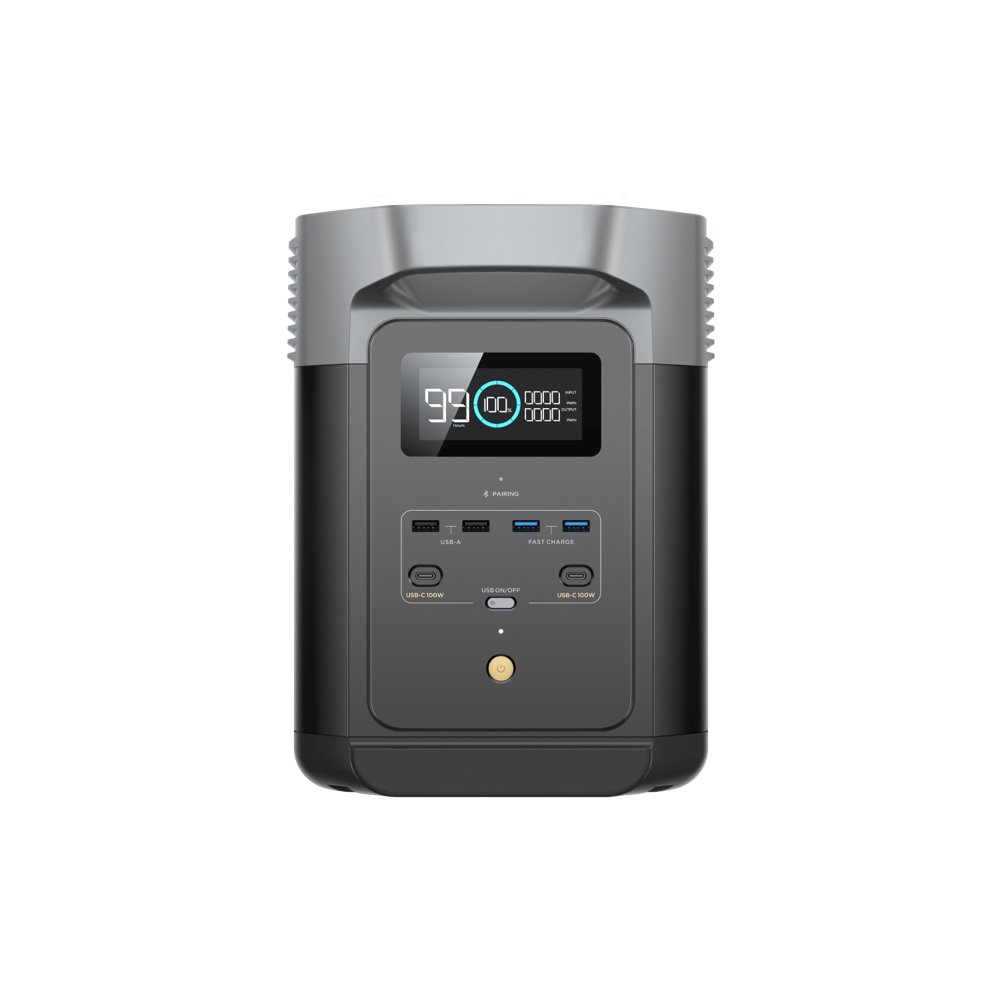
| EcoFlow DELTA 2 Portable Power StationEcoFlow | 1,024Wh | 1,800W AC | 4× AC outlet (1800W, 2700W surge), 2× USB-C (100W), 2× USB-A, Car port | 27 lb | $499–$999 | Carrying a fridge plus electronics through a multi-hour outage, Home backup you can expand later (to 2048Wh+ with add-on batteries), Fast recharge — roughly 0–80% in under an hour | See current price |
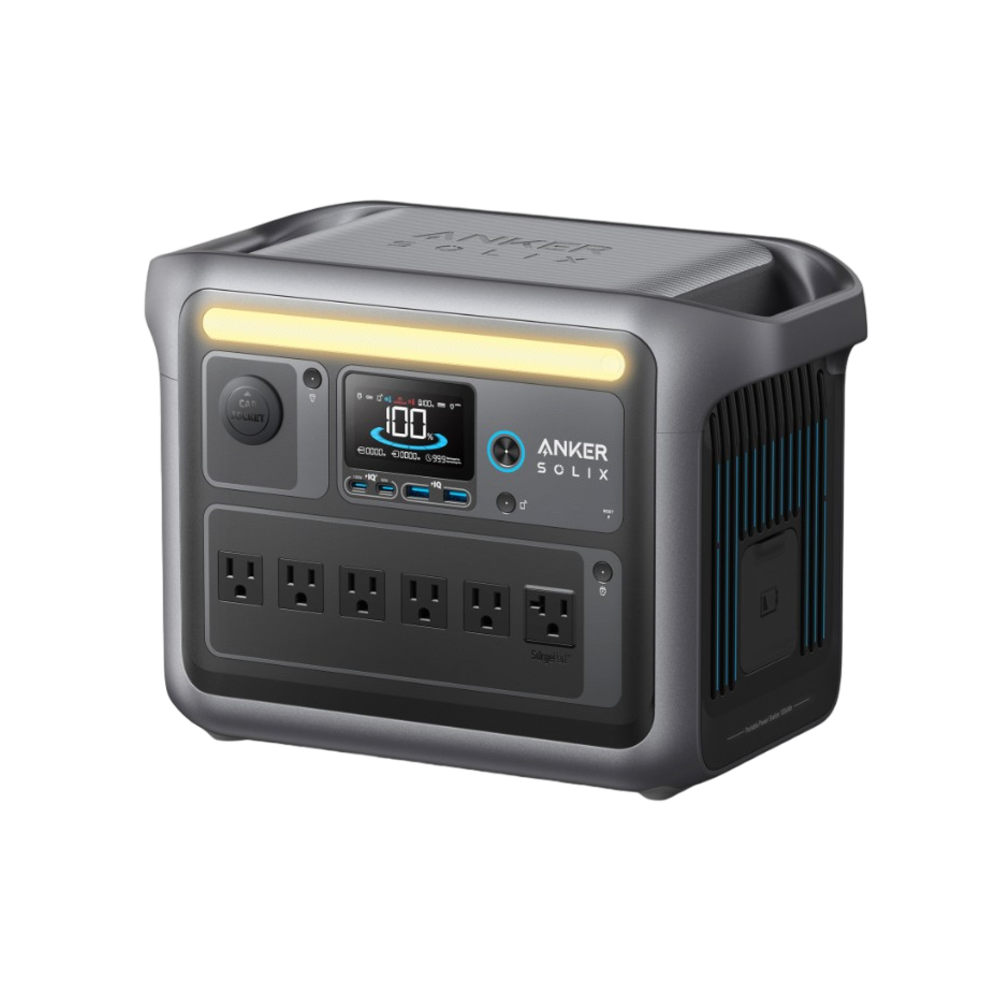
| Anker SOLIX C1000 Portable Power StationAnker | 1,056Wh | 1,800W AC | AC ×6 (1800W total, 2400W surge), USB-C 100W, USB-C 30W, USB-A ×2 (12W), 12V car port (120W) | 28.4 lb | $400–$650 | Multi-day phone and internet backup, A full-size or mini fridge in duty cycles (1800W continuous, 2400W surge), Family camping trips with several devices at once, Fast top-ups between outages — 80% in 43 minutes from the wall | See current price |
| Jackery Explorer 2000 v2 Portable Power StationJackery | 2,042Wh | 2,200W AC | AC ×3 (2200W total, 4400W surge), USB-C 100W, USB-C 30W, USB-A 18W, 12V car port (120W) | 39.5 lb | $700–$1,100 | Days of essentials during long outages, A full-size refrigerator in duty cycles, High-draw devices up to 2,200W, Sub-20ms switchover keeps a router or NAS online when the grid drops | See current price |
Prices last checked between 2026-07-08 and 2026-07-09; review overdue — verify current listings
Specific products and clearly labeled category searches we recommend by class — we have not hands-on tested them, so verify capacity, output, and current price on the listing before buying. Commissioned links, at no extra cost to you.
Which should you pick?
Most homes land in 300–500Wh: internet, phones, laptop, lights. Step up to 1,000Wh only when a fridge or a multi-day outage is genuinely in the plan, and to 2,000Wh when the battery is doing short-term home-backup duty. If you’re between classes, size the load first instead of guessing.
Go deeper: Choose a power station without overspending· Power Station Sizing Calculator
A panel’s label is a lab number. What matters is what it actually refills in a real day of sun.
Portable solar panels are rated at their laboratory maximum — full sun, perfect angle, cool panel. Outdoors you can expect roughly 70% of the rating during peak sun hours, and “peak sun hours” are not daylight hours: most of the continental US sees about 3–6 per day depending on season and weather. Our estimates below use 4.5 peak sun hours at 70% efficiency, the same defaults as the Solar Recharge Calculator.
The practical rule: match the panel to the battery so a day or two of decent sun can refill what you use. A 100W panel paired with a 2,000Wh station will fall further behind every day of a long outage; the same panel on a 300Wh station is a genuinely self-sustaining kit. Also confirm the boring part — connector type and input voltage range — before buying; a DC cable kit solves many mismatches, but not all.
| Panel rating | Realistic daily output* | What that refills in a day | Pairs well with |
|---|---|---|---|
| 60W | 189 Wh | A power bank plus phones and small electronics | Power banks, under-300Wh stations |
| 100W | 315 Wh | Roughly a 300Wh station from empty | 300–500Wh stations |
| 200W | 630 Wh | Roughly a 500Wh station from empty | 500–1,000Wh stations |
| 400W | 1,260 Wh | Roughly a 1,000Wh station from empty | 1,000–2,000Wh stations |
*Assumes 4.5 peak sun hours and 70% real-world efficiency. Clouds, panel angle, heat, shade, and season all push output lower — treat these as good-conditions planning numbers.
Some links on this page may be paid links. If you buy through them, Cynosure LLC may earn a commission at no extra cost to you. We do not claim to have personally tested products unless clearly stated.
| Product | Capacity | Output | Ports | Weight | Est. price | Ideal for | Link |
|---|---|---|---|---|---|---|---|
| Jackery SolarSaga 100 Air Solar PanelJackery | — | 100W panel | DC output to power station (100W max), USB-C, USB-A | 7.1 lb | $250–$300 | Recharging 300–1,000Wh stations off-grid, Camping trips longer than a weekend, Keeping a small station topped up during extended outages | See current price |
| 200W foldable portable solar panelBy category | — | 200W panel | MC4 or manufacturer-specific DC output, Foldable stand, Weather-resistant cable junction | 12–20 lb | Varies — compare listings | Faster daylight recharge of 500Wh–2kWh power stations, Camping, RV and multi-day outage plans, Stations whose solar input can accept the panel's voltage and current | Shop on Amazon |
| 10AWG MC4 solar extension cable setBy category | — | — | MC4 male and female connectors, UV-resistant outdoor cable, Multiple length options | 2–8 lb | Varies by length | Putting panels in sun while the station stays shaded and dry, Reducing voltage drop compared with thin long cable runs, Portable panels that terminate in standard MC4 connectors | Shop on Amazon |
| Jackery Explorer 600 Plus Portable Power StationJackery | 632Wh | 800W AC | AC ×2 (800W total, 1600W surge), USB-C 100W, USB-C 30W, USB-A 18W, 12V car port | 16.1 lb | $300–$500 | A full laptop workday plus phone charging, A day or more of router and modem backup, Weekend camping electronics, Fans, lights, and a CPAP-class device together | See current price |
| Anker SOLIX C1000 Portable Power StationAnker | 1,056Wh | 1,800W AC | AC ×6 (1800W total, 2400W surge), USB-C 100W, USB-C 30W, USB-A ×2 (12W), 12V car port (120W) | 28.4 lb | $400–$650 | Multi-day phone and internet backup, A full-size or mini fridge in duty cycles (1800W continuous, 2400W surge), Family camping trips with several devices at once, Fast top-ups between outages — 80% in 43 minutes from the wall | See current price |
Prices last checked between 2026-07-08 and 2026-07-15; review overdue — verify current listings
Specific products and clearly labeled category searches we recommend by class — we have not hands-on tested them, so verify capacity, output, and current price on the listing before buying. Commissioned links, at no extra cost to you.
Which should you pick?
Pick 100W for a 300–500Wh station you top up on trips or short outages. Pick 200W or more when solar is the primary recharge plan for a 1,000Wh+ battery. Skip solar entirely if your outages are short and the wall recharges the battery in time — a panel you don’t need is the easiest $100–$400 to save.
Go deeper: Solar panel sizing guide· Solar Recharge Calculator
Internet backup is a small-watts problem with several right answers at very different prices.
Home internet is one of the cheapest things to back up: a modem and router together draw around 15W. The catch is that “internet” has two failure modes — your power going out, and your provider going down with it. Batteries solve the first. For the second you need a different upstream: a phone hotspot through a travel router, or a satellite internet terminal.
For power-only outages, a UPS gives hands-off continuity for the desk, while a 300Wh station is estimated at ≈ 15 hr for the router-modem pair — an all-day answer that also charges phones. The budget path is a big USB power bank feeding a USB-C travel router (~7W): about ≈ 9.8 hr of Wi-Fi from a $40–$90 battery, provided you have an upstream connection to share. Satellite terminals change the math: a compact Starlink Mini-style satellite internet terminal draws roughly 20–40W, while full residential dishes draw 50–100W and push you up a battery class.
| Option | Estimated time online | Switchover | Typical cost | Watch for |
|---|---|---|---|---|
| Battery backup UPS | Often 1–4 hr at ~15W — check the runtime chart | Instant | $60–$150 | Lead-acid batteries fade with age; runtime shrinks |
| 300Wh power station | ≈ 15 hr at ~15W | Manual plug-in | $150–$250 | Verify pass-through/UPS mode if you want hands-off switchover |
| Power bank + travel router | ≈ 9.8 hr at ~7W (router only) | Manual | $90–$210 combined | Needs an upstream connection — a hotspot or live modem |
| 500Wh station + satellite terminal (mini-style, ~30W) | ≈ 16 hr at ~30W | Manual | $250–$450 + terminal and service | Full-size dishes draw 50–100W — size the battery up |
Some links on this page may be paid links. If you buy through them, Cynosure LLC may earn a commission at no extra cost to you. We do not claim to have personally tested products unless clearly stated.
| Product | Capacity | Output | Ports | Weight | Est. price | Ideal for | Link |
|---|---|---|---|---|---|---|---|
| CyberPower CP1000PFCLCD PFC Sinewave UPSCyberPower | 108Wh | 600W AC | AC battery-backed ×5, AC surge-only ×5, USB-A + USB-C charging (3.1A shared) | 15.4 lb | $130–$200 | Instant switchover for desktop PCs and NAS drives, Router and modem backup without unplugging anything, Bridging brief outages, flickers, and brownouts with AVR | See current price |
| 1500VA pure sine wave UPSBy category | — | 900W AC | Battery-backed AC outlets, Pure sine wave output, Automatic voltage regulation | 20–30 lb | Varies — compare listings | Desktop PCs, NAS devices and networking racks that need instant switchover, A longer runtime ceiling than a 1000VA-class UPS, Active-PFC computer power supplies that benefit from sine wave output | Shop on Amazon |
| EcoFlow RIVER 3 Portable Power StationEcoFlow | 245Wh | 300W AC | 3× AC outlet (300W, 600W X-Boost), USB-C, USB-A, Car port | 8.4 lb | $149–$219 | Keeping a router, modem, phones and small electronics running for hours, A light, grab-and-go outage or travel unit, Fast recharge with sub-20ms UPS passthrough | See current price |
| Jackery Explorer 300 Plus Portable Power StationJackery | 288Wh | 300W AC | AC ×1 (300W, 600W surge), USB-C ×2 (100W max), USB-A ×1, 12V car port | 8.27 lb | $200–$300 | Router and modem backup for a workday, Charging phones and tablets for days, A laptop for a few hours via the 100W USB-C port, Car trips and short outages | See current price |
| Anker Laptop Power Bank (25K, 165W, Built-In and Retractable Cables)Anker | 90Wh | 100W USB-C | USB-C ×3 (100W max each, 165W total), USB-A 33W, Built-in retractable USB-C cables | 1.3 lb | $90–$135 | Keeping phones, tablets, and earbuds charged for days, One full laptop top-up on the go (100W max per USB-C port), Carry-on-friendly backup power (under the 100Wh airline limit) | See current price |
| GL.iNet Beryl AX (GL-MT3000) Wi-Fi 6 Travel RouterGL.iNet | — | — | USB-C power input (5V/3A), 2.5G WAN Ethernet, 1G LAN Ethernet, USB 3.0 | 0.43 lb | $80–$110 | Running Wi-Fi from a power bank during outages (rated power draw under 8W), Sharing a phone hotspot or USB tether with laptops and smart devices, Hotel, RV, and travel networking with built-in VPN support | See current price |
Prices last checked between 2026-07-08 and 2026-07-15; review overdue — verify current listings
Specific products and clearly labeled category searches we recommend by class — we have not hands-on tested them, so verify capacity, output, and current price on the listing before buying. Commissioned links, at no extra cost to you.
Which should you pick?
Pick the UPS for zero-effort protection where the gear already sits. Pick the 300Wh station when outages run most of a day and you want spare capacity for phones. Pick the power bank + travel router combo when budget or portability leads and you have a hotspot to lean on. Satellite users: size the battery to the terminal’s real draw, not the router’s.
Go deeper: Router & modem backup guide· Satellite internet backup power· Battery Runtime Calculator (prefilled at 15W)
No garage, no generator, no problem — batteries are the apartment-safe way to ride out an outage.
Apartments rule out most traditional backup power. Fuel generators must never run indoors — not in a kitchen, not on an enclosed balcony — which makes battery power the practical (and quiet, and landlord-friendly) option. The good news: apartment loads are small. Internet, phones, lights, a laptop, and a fan cover most people’s real needs, and that is squarely small-to-mid battery territory.
The honest way to buy is by tier, not by fear. Start from what must stay on and for how long where you live — a two-hour blip in a city grid is a different problem than a multi-day storm outage. The tiers below map budget to what actually stays powered; theGear Finder can turn your specific answers into a capacity class in about a minute.
| Tier | Typical budget | What stays on | Suggested gear |
|---|---|---|---|
| Essentials | $100–$300 | Phones, LED lights, and the router-modem pair for most of a day | Large power bank or 300Wh station, plus lights and cables |
| Work-from-home | $300–$700 | Internet plus a full laptop workday, phone charging, a fan | 500Wh station — or 300Wh station + UPS for the desk |
| Extended | $700–$1,500 | All of the above for multiple days, or a mini fridge in cycles | 1,000Wh station, optionally a 100W solar panel for a window or balcony |
Some links on this page may be paid links. If you buy through them, Cynosure LLC may earn a commission at no extra cost to you. We do not claim to have personally tested products unless clearly stated.
| Product | Capacity | Output | Ports | Weight | Est. price | Ideal for | Link |
|---|---|---|---|---|---|---|---|
| CyberPower CP1000PFCLCD PFC Sinewave UPSCyberPower | 108Wh | 600W AC | AC battery-backed ×5, AC surge-only ×5, USB-A + USB-C charging (3.1A shared) | 15.4 lb | $130–$200 | Instant switchover for desktop PCs and NAS drives, Router and modem backup without unplugging anything, Bridging brief outages, flickers, and brownouts with AVR | See current price |
| Jackery Explorer 600 Plus Portable Power StationJackery | 632Wh | 800W AC | AC ×2 (800W total, 1600W surge), USB-C 100W, USB-C 30W, USB-A 18W, 12V car port | 16.1 lb | $300–$500 | A full laptop workday plus phone charging, A day or more of router and modem backup, Weekend camping electronics, Fans, lights, and a CPAP-class device together | See current price |
| Amazon Basics 6-Outlet Surge Protector Power StripAmazon Basics | — | — | 6 grounded AC outlets, 790-joule surge protection, 6 ft cord | 0.8 lb | $10–$15 | Splitting one power-station or wall outlet across several small devices, Basic surge protection for electronics, A cheap, always-useful outage-kit staple | See current price |
| Glocusent 135-LED Rechargeable Camping LanternGlocusent | — | — | USB-C rechargeable, Dimmable + color modes, Doubles as a power-bank output | 0.9 lb | $18–$30 | Lighting a room in an outage without burning station capacity, Camping, RV and emergency kits, A cheap, giftable impulse buy | See current price |
| NOAA weather radio with battery backupBy category | — | — | NOAA weather-band receiver, Battery operation, USB charging or flashlight on some models | 0.5–2 lb | Varies — compare listings | Receiving alerts when cellular data and home internet are down, Hurricane and severe-weather kits, A low-power information source during long outages | Shop on Amazon |
| 100W USB-C GaN wall chargerBy category | — | 100W USB-C | USB-C Power Delivery, Multiple-port options, Compact AC wall input | 0.3–0.8 lb | Varies — compare listings | Recharging laptops directly from AC or a power station, Replacing several low-power phone chargers, Travel and remote-work kits | Shop on Amazon |
| Extension cords & power-strip kitBy category | — | — | Grounded extension cord, Multi-outlet power strip, Cable organizer pouch | 2–4 lb | $25–$60 | Reaching devices without moving the battery, Splitting one AC outlet across several small loads, Keeping an outage kit organized and ready | Shop on Amazon |
Prices last checked between 2026-07-08 and 2026-07-15; review overdue — verify current listings
Specific products and clearly labeled category searches we recommend by class — we have not hands-on tested them, so verify capacity, output, and current price on the listing before buying. Commissioned links, at no extra cost to you.
Which should you pick?
Start with the essentials tier and a written list of your real wattages — the Device Wattage Library makes that a ten-minute job. Upgrade a tier only if outages longer than a workday are realistic where you live. Most apartment overspending happens by skipping that first step.
Go deeper: Emergency power checklist for apartments· Gear Finder
The higher-value path is modular — battery, charger, inverter and professional transfer equipment — but every piece has to match.
A finished power station is the easiest path. A modular 12V LiFePO4 system can offer more capacity per dollar and parts you can replace independently, but it also moves system design onto you: battery-management limits, wire gauge, overcurrent protection, charging profile, inverter surge, ventilation and enclosure. Treat the entries below as a checklist of the parts that need engineering together, not as a ready-made bundle.
Feeding selected household circuits is a separate professional step. Never backfeed a panel through a receptacle. Have a licensed electrician choose the transfer equipment, inlet, neutral arrangement and circuit plan for the exact generator or battery source and local code. If any combustion generator is part of the plan, it stays outdoors and far from doors, windows and vents; a battery-powered carbon-monoxide alarm is backup protection, not permission to run a generator indoors or in an attached garage.
Some links on this page may be paid links. If you buy through them, Cynosure LLC may earn a commission at no extra cost to you. We do not claim to have personally tested products unless clearly stated.
| Product | Capacity | Output | Ports | Weight | Est. price | Ideal for | Link |
|---|---|---|---|---|---|---|---|
| 12V 100Ah LiFePO4 batteryBy category | 1,280Wh | — | 12V positive and negative terminals, Internal battery-management system, External fuse and disconnect required | 20–30 lb | Varies — compare listings | DIY 12V backup systems, RV and off-grid storage, Users comfortable sizing fuses, wiring, charging and an inverter separately | Shop on Amazon |
| 12V LiFePO4 AC charger (20A class)By category | — | 290W DC charge | 120V AC input, 12V LiFePO4 charging output, Ring-terminal or clamp leads | 2–5 lb | Varies — compare listings | Charging a 12V 100Ah LiFePO4 battery from household power, A dedicated DIY-battery charging setup, Readers who want a faster refill than a small maintainer provides | Shop on Amazon |
| 1000W pure sine wave inverterBy category | — | 1,000W AC | 12V DC input terminals, 120V AC outlets, Remote switch on some models | 5–10 lb | Varies — compare listings | Turning a protected 12V battery bank into clean AC power, Electronics and motor loads that should not use a modified-sine inverter, DIY backup systems whose measured continuous load stays below 1000W | Shop on Amazon |
| 30A manual transfer switch or power-inlet kitBy category | — | — | 30A power inlet, Manual circuit selection, Outdoor-rated inlet options | Varies by kit | Varies — installation extra | Connecting a compatible generator or large battery system to selected household circuits, Avoiding extension cords through the house, Permanent outage planning performed to local electrical code | Shop on Amazon |
| Battery-powered carbon monoxide alarmBy category | — | — | Replaceable or sealed battery, Audible alarm, Test and hush controls | 0.3–1 lb | Varies — compare listings | Homes using a generator during outages, An alarm that keeps working with utility power off, Emergency kits and sleeping areas | Shop on Amazon |
Prices last checked 2026-07-15; review overdue — verify current listings
Category searches, not a pre-engineered system. Match voltage, current, protection and installation requirements before buying. Commissioned links, at no extra cost to you.
Which should you pick?
Pick a finished power station when you want portable, tested, plug-in power. Consider the modular path only when you need serviceable storage and are prepared to design the DC side correctly. Use a licensed electrician for anything that connects a backup source to household wiring.
Start with the math: Load Builder· Generator vs battery guide
The complete Power Preflight catalog — every specific product and clearly labeled category search recommended anywhere on this site, in one honest table.
This is the whole list. Nothing here is a paid placement and nothing is ranked by commission — products appear because they fit a job the site covers, and every spec is pulled from the same catalog file our calculators and guides read. If a product or category is not on this table, we have not selected it for the site.
Some links on this page may be paid links. If you buy through them, Cynosure LLC may earn a commission at no extra cost to you. We do not claim to have personally tested products unless clearly stated.
| Product | Capacity | Output | Ports | Weight | Est. price | Ideal for | Link |
|---|---|---|---|---|---|---|---|
| EcoFlow RIVER 3 Portable Power StationEcoFlow | 245Wh | 300W AC | 3× AC outlet (300W, 600W X-Boost), USB-C, USB-A, Car port | 8.4 lb | $149–$219 | Keeping a router, modem, phones and small electronics running for hours, A light, grab-and-go outage or travel unit, Fast recharge with sub-20ms UPS passthrough | See current price |
| Jackery Explorer 300 Plus Portable Power StationJackery | 288Wh | 300W AC | AC ×1 (300W, 600W surge), USB-C ×2 (100W max), USB-A ×1, 12V car port | 8.27 lb | $200–$300 | Router and modem backup for a workday, Charging phones and tablets for days, A laptop for a few hours via the 100W USB-C port, Car trips and short outages | See current price |
| Jackery Explorer 600 Plus Portable Power StationJackery | 632Wh | 800W AC | AC ×2 (800W total, 1600W surge), USB-C 100W, USB-C 30W, USB-A 18W, 12V car port | 16.1 lb | $300–$500 | A full laptop workday plus phone charging, A day or more of router and modem backup, Weekend camping electronics, Fans, lights, and a CPAP-class device together | See current price |
| EcoFlow DELTA 2 Portable Power StationEcoFlow | 1,024Wh | 1,800W AC | 4× AC outlet (1800W, 2700W surge), 2× USB-C (100W), 2× USB-A, Car port | 27 lb | $499–$999 | Carrying a fridge plus electronics through a multi-hour outage, Home backup you can expand later (to 2048Wh+ with add-on batteries), Fast recharge — roughly 0–80% in under an hour | See current price |
| Anker SOLIX C1000 Portable Power StationAnker | 1,056Wh | 1,800W AC | AC ×6 (1800W total, 2400W surge), USB-C 100W, USB-C 30W, USB-A ×2 (12W), 12V car port (120W) | 28.4 lb | $400–$650 | Multi-day phone and internet backup, A full-size or mini fridge in duty cycles (1800W continuous, 2400W surge), Family camping trips with several devices at once, Fast top-ups between outages — 80% in 43 minutes from the wall | See current price |
| Jackery Explorer 2000 v2 Portable Power StationJackery | 2,042Wh | 2,200W AC | AC ×3 (2200W total, 4400W surge), USB-C 100W, USB-C 30W, USB-A 18W, 12V car port (120W) | 39.5 lb | $700–$1,100 | Days of essentials during long outages, A full-size refrigerator in duty cycles, High-draw devices up to 2,200W, Sub-20ms switchover keeps a router or NAS online when the grid drops | See current price |
| 1500VA pure sine wave UPSBy category | — | 900W AC | Battery-backed AC outlets, Pure sine wave output, Automatic voltage regulation | 20–30 lb | Varies — compare listings | Desktop PCs, NAS devices and networking racks that need instant switchover, A longer runtime ceiling than a 1000VA-class UPS, Active-PFC computer power supplies that benefit from sine wave output | Shop on Amazon |
| CyberPower CP1000PFCLCD PFC Sinewave UPSCyberPower | 108Wh | 600W AC | AC battery-backed ×5, AC surge-only ×5, USB-A + USB-C charging (3.1A shared) | 15.4 lb | $130–$200 | Instant switchover for desktop PCs and NAS drives, Router and modem backup without unplugging anything, Bridging brief outages, flickers, and brownouts with AVR | See current price |
| Anker 737 Power Bank (PowerCore 24K, 140W)Anker | 86Wh | 140W USB-C | 2× USB-C (140W max), 1× USB-A, Smart digital display | 1.4 lb | $109–$139 | Charging a laptop plus a phone during a short outage or on the go, USB-C PD 3.1 fast charging, A pocketable backup for devices — not appliances | See current price |
| Anker Laptop Power Bank (25K, 165W, Built-In and Retractable Cables)Anker | 90Wh | 100W USB-C | USB-C ×3 (100W max each, 165W total), USB-A 33W, Built-in retractable USB-C cables | 1.3 lb | $90–$135 | Keeping phones, tablets, and earbuds charged for days, One full laptop top-up on the go (100W max per USB-C port), Carry-on-friendly backup power (under the 100Wh airline limit) | See current price |
| Jackery SolarSaga 100 Air Solar PanelJackery | — | 100W panel | DC output to power station (100W max), USB-C, USB-A | 7.1 lb | $250–$300 | Recharging 300–1,000Wh stations off-grid, Camping trips longer than a weekend, Keeping a small station topped up during extended outages | See current price |
| 200W foldable portable solar panelBy category | — | 200W panel | MC4 or manufacturer-specific DC output, Foldable stand, Weather-resistant cable junction | 12–20 lb | Varies — compare listings | Faster daylight recharge of 500Wh–2kWh power stations, Camping, RV and multi-day outage plans, Stations whose solar input can accept the panel's voltage and current | Shop on Amazon |
| 12V 100Ah LiFePO4 batteryBy category | 1,280Wh | — | 12V positive and negative terminals, Internal battery-management system, External fuse and disconnect required | 20–30 lb | Varies — compare listings | DIY 12V backup systems, RV and off-grid storage, Users comfortable sizing fuses, wiring, charging and an inverter separately | Shop on Amazon |
| 12V LiFePO4 AC charger (20A class)By category | — | 290W DC charge | 120V AC input, 12V LiFePO4 charging output, Ring-terminal or clamp leads | 2–5 lb | Varies — compare listings | Charging a 12V 100Ah LiFePO4 battery from household power, A dedicated DIY-battery charging setup, Readers who want a faster refill than a small maintainer provides | Shop on Amazon |
| 1000W pure sine wave inverterBy category | — | 1,000W AC | 12V DC input terminals, 120V AC outlets, Remote switch on some models | 5–10 lb | Varies — compare listings | Turning a protected 12V battery bank into clean AC power, Electronics and motor loads that should not use a modified-sine inverter, DIY backup systems whose measured continuous load stays below 1000W | Shop on Amazon |
| 10AWG MC4 solar extension cable setBy category | — | — | MC4 male and female connectors, UV-resistant outdoor cable, Multiple length options | 2–8 lb | Varies by length | Putting panels in sun while the station stays shaded and dry, Reducing voltage drop compared with thin long cable runs, Portable panels that terminate in standard MC4 connectors | Shop on Amazon |
| 30A manual transfer switch or power-inlet kitBy category | — | — | 30A power inlet, Manual circuit selection, Outdoor-rated inlet options | Varies by kit | Varies — installation extra | Connecting a compatible generator or large battery system to selected household circuits, Avoiding extension cords through the house, Permanent outage planning performed to local electrical code | Shop on Amazon |
| CPAP 12V DC power cableBy category | — | — | 12V car-style or DC source plug, Device-specific output connector, Voltage conversion on compatible models | 0.5–1.5 lb | Varies by CPAP model | Running a compatible CPAP from a station's DC output, Avoiding AC-inverter overhead during overnight use, Travel and outage kits built around a known CPAP model | Shop on Amazon |
| 100W USB-C GaN wall chargerBy category | — | 100W USB-C | USB-C Power Delivery, Multiple-port options, Compact AC wall input | 0.3–0.8 lb | Varies — compare listings | Recharging laptops directly from AC or a power station, Replacing several low-power phone chargers, Travel and remote-work kits | Shop on Amazon |
| GL.iNet Beryl AX (GL-MT3000) Wi-Fi 6 Travel RouterGL.iNet | — | — | USB-C power input (5V/3A), 2.5G WAN Ethernet, 1G LAN Ethernet, USB 3.0 | 0.43 lb | $80–$110 | Running Wi-Fi from a power bank during outages (rated power draw under 8W), Sharing a phone hotspot or USB tether with laptops and smart devices, Hotel, RV, and travel networking with built-in VPN support | See current price |
| P3 P4400 Kill A Watt Electricity Usage MonitorP3 | — | — | Plug-in 120V pass-through outlet, LCD readout (Watts, Amps, Volts, kWh) | 0.3 lb | $25–$35 | Measuring a device's real watts before you size a battery, Finding the true draw of a fridge, CPAP, router or TV, Replacing a guessed wattage with a measured one for the calculators | See current price |
| Amazon Basics 6-Outlet Surge Protector Power StripAmazon Basics | — | — | 6 grounded AC outlets, 790-joule surge protection, 6 ft cord | 0.8 lb | $10–$15 | Splitting one power-station or wall outlet across several small devices, Basic surge protection for electronics, A cheap, always-useful outage-kit staple | See current price |
| Glocusent 135-LED Rechargeable Camping LanternGlocusent | — | — | USB-C rechargeable, Dimmable + color modes, Doubles as a power-bank output | 0.9 lb | $18–$30 | Lighting a room in an outage without burning station capacity, Camping, RV and emergency kits, A cheap, giftable impulse buy | See current price |
| Battery-powered carbon monoxide alarmBy category | — | — | Replaceable or sealed battery, Audible alarm, Test and hush controls | 0.3–1 lb | Varies — compare listings | Homes using a generator during outages, An alarm that keeps working with utility power off, Emergency kits and sleeping areas | Shop on Amazon |
| NOAA weather radio with battery backupBy category | — | — | NOAA weather-band receiver, Battery operation, USB charging or flashlight on some models | 0.5–2 lb | Varies — compare listings | Receiving alerts when cellular data and home internet are down, Hurricane and severe-weather kits, A low-power information source during long outages | Shop on Amazon |
| DC charging cables & adaptersBy category | — | — | XT60 to DC5521/5525, 12V car plug adapter, Barrel size adapter set | 0.5–1.5 lb | $20–$50 | Running 12V devices straight from a station's DC port, Connecting solar panels to power stations, Skipping the AC inverter to stretch battery life | Shop on Amazon |
| Extension cords & power-strip kitBy category | — | — | Grounded extension cord, Multi-outlet power strip, Cable organizer pouch | 2–4 lb | $25–$60 | Reaching devices without moving the battery, Splitting one AC outlet across several small loads, Keeping an outage kit organized and ready | Shop on Amazon |
Prices last checked between 2026-07-08 and 2026-07-15; review overdue — verify current listings
Specific products and clearly labeled category searches we recommend by class — we have not hands-on tested them, so verify capacity, output, and current price on the listing before buying. Commissioned links, at no extra cost to you.
Go deeper: Match a setup with the Gear Finder· How we estimate
The printable checklist now — then short, occasional notes when one of our recommended picks changes or we spot a real price drop. Nothing on a schedule, unsubscribe anytime.
There is no single best option — it depends on what you need to power and for how long. A UPS is best when plugged-in equipment must ride through an outage with zero interruption, a power bank is best when everything you own charges over USB, and a power station covers most situations in between. The Gear Finder walks through the decision in about a minute.
No. The tables on this page use class-level estimates built from typical manufacturer specifications and our published formulas. We do not claim to have personally tested products unless clearly stated — the entries are specific products we recommend by class, not hands-on reviews. Always verify the spec sheet of any specific model before buying.
List the devices you want to run, look up their watts in the Device Wattage Library, and decide how many hours you need to cover. Then use the Power Station Sizing Calculator — it applies an 85% efficiency assumption and a 10% reserve so the recommendation has honest headroom instead of best-case marketing math.
Usually yes, if it is large enough. A router and modem draw about 15W together, while a full-size refrigerator draws roughly 100–250W running and can surge to 600–1,200W when the compressor starts. That combination generally points to a 1,000Wh-or-larger station with a surge rating comfortably above the fridge’s start-up draw.
Calculations are estimates only. Real runtime depends on battery age, inverter efficiency, device behavior, temperature, surge loads, manufacturer limits, and actual measured wattage. Always verify product specifications before buying or relying on a setup.
This site provides planning estimates, not electrical, medical, or emergency safety advice.