Map every box in your internet chain
Backup internet planning fails most often at the inventory step, not the battery step. Walk the signal path from the wall to your laptop and write down every powered device: the ONT if you have fiber (often mounted in a garage or closet, nowhere near your router), the modem or gateway, the router, any mesh nodes, and any network switches feeding rooms you care about.
For each one, note two things: the output rating on its power adapter (voltage × amps = a worst-case wattage), and where it lives — because backup power has to reach the device’s location, not just the idea of it. Most home chains total 10–25W; a large mesh setup might reach 30–35W. If you’d rather measure than estimate, a plug-in watt meter gives real numbers, and the device wattage library has typical ranges to sanity-check against.
Primary path, fallback paths
Your home connection is the primary path, and it fails in two distinct ways: your equipment loses power (you can fix this), or your provider’s network goes down (you cannot). The router and modem backup guide covers how different connection types — fiber, cable, DSL, fixed wireless — tend to behave when the neighborhood loses power.
Because the second failure mode is out of your hands, a complete plan includes at least one fallback path that doesn’t share your ISP’s infrastructure:
- Phone hotspot — the zero-hardware option. Your phone becomes the router; a power bank keeps it topped up. Fine for email, messaging, and a video call or two.
- Travel router with a SIM (or a dedicated hotspot) — a small 3–8W device that makes cellular service look like normal Wi-Fi to every device in the house. Better than a phone for multi-device or multi-hour use.
- Satellite internet terminal — independent of local infrastructure entirely, at a much higher power cost. Worth considering for remote locations or long outages; the satellite terminal power guide covers the very different math.
The power budget, path by path
Here is what each path costs to run, with recommended battery capacity for a 12-hour stretch (assumes 85% conversion efficiency and a 10% reserve):
| Path | Typical draw | ~12-hour battery need |
|---|---|---|
| Fiber ONT + router | 12–20W | ~190–315Wh |
| Cable modem + router | 15–25W | ~235–390Wh |
| Each additional mesh node | 5–10W | +~80–160Wh |
| Phone as hotspot | 3–6W | ~45–95Wh |
| Travel router with SIM | 3–8W | ~45–125Wh |
| Satellite internet terminal | 20–100W | ~315–1,570Wh |
Two things stand out. Cellular fallbacks are astonishingly cheap to power — a modest power bank runs a hotspot for days. And satellite is a different league: it can cost more energy than the rest of your plan combined. Run your own numbers in the power station sizing calculator with your measured watts and target hours.
Three tiers: two hours, twelve hours, multi-day
Rather than one big purchase, think in tiers that build on each other:
Tier 1 — ride out a blip (up to ~2 hours). A small UPS under the networking stack. It switches over instantly, nothing reboots, and for the majority of outages this is the whole story. Cost and effort are minimal.
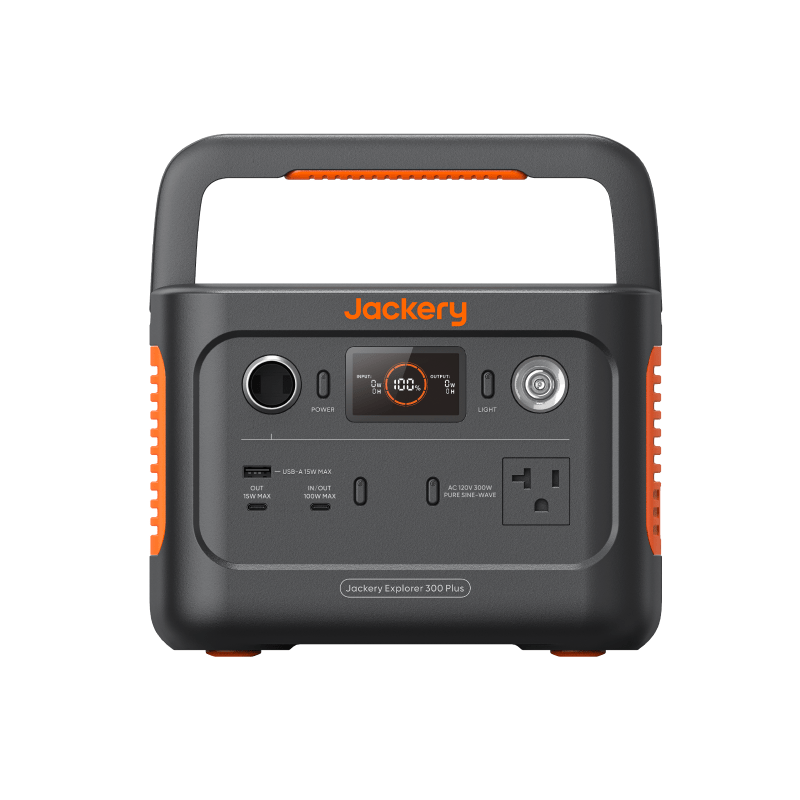
Tier 2 — a working day (8–12 hours). Add a small power station in the under-300Wh or 300–500Wh class, sized from the table above. When an outage outlasts the UPS, move the networking gear onto the station — or better, run it from the station’s 12V or USB-C DC outputs and skip inverter losses entirely. Keep a hotspot-capable fallback charged in case the ISP side dies.
Tier 3 — multi-day. Endurance now depends on recharging, not just capacity: a larger station plus a solar panel or car charging turns a fixed battery into a renewable loop. This is also where rationing matters — power the modem and router on a schedule (say, 15 minutes an hour for messages) and a day’s worth of battery becomes several days of usable internet.
Match the tier to your reality. If your area sees two brief outages a year, Tier 1 is rational and Tier 3 is hobby spending. If storms routinely take your grid down for days, build to Tier 3 deliberately — the comparison hub lays out what each hardware class does well.
Instant failover plus endurance: running UPS and station together
The two devices solve different problems, and the clean pattern uses both: the UPS provides the milliseconds (no dropped calls, no rebooting gear), and the power station provides the hours.
In practice: networking gear lives on the UPS full-time. When an outage stretches past the first half hour, plug the UPS into the power station’s AC output — the gear never loses power during the swap, and the station’s capacity now backs the whole chain. One honest caution: some UPS units are picky about the power waveform they’ll accept from an inverter, so verify compatibility (pure sine wave output is the safe pairing) and test the handoff once on a calm afternoon rather than during the real thing.
However far you build, test the plan end to end twice a year: pull the breaker or unplug at the wall, watch the failover, confirm the fallback path carries a video call, and time your real runtime. The gap between planned and actual is where outage plans go to die.
Next steps
- Size each tier with the power station sizing calculator.
- Put the primary connection and every essential device into the Multi-Device Power Station Calculator.
- If satellite is your primary or fallback path, use the Starlink and home-internet backup guide to compare runtime windows and published-spec fits.
- Compare UPS units, small stations, and travel routers in the comparison hub.
- Go deeper on the first tier with the router and modem backup guide.