What your router and modem actually draw
Networking gear is one of the easiest backup loads to plan for, because it barely draws anything. A typical home Wi-Fi router pulls 5–15W on its own. A cable or fiber modem adds another 5–10W. If you have a combined modem-router gateway from your provider, it usually lands between 10 and 20W. A mesh system with two or three nodes might bring the total to 25–30W.
For most homes, the number to plan around is 10–25W combined. That is a tiny load — a mini fridge draws several times as much — which is why keeping your internet alive is one of the cheapest backup power problems you can solve.
Averages are only a starting point, though. Every power adapter lists its output voltage and amperage, and multiplying them gives you a worst-case ceiling: a 12V, 1.5A adapter tops out at 18W. Actual draw usually sits well below that ceiling, often half or less. The device wattage library has typical ranges for routers, modems, and mesh gear if you want a sanity check against your labels.
The sizing math, step by step
Battery sizing comes down to three short steps:
- Energy you’ll consume: watts × hours. A 15W router-modem pair running for 12 hours consumes 15 × 12 = 180Wh.
- Account for conversion losses: batteries lose energy turning stored power into the power your gear uses. About 15% is a fair planning loss, so 180 ÷ 0.85 ≈ 212Wh.
- Keep a reserve: you don’t want a plan that only works if you drain to exactly zero. Holding back 10% brings the recommendation to roughly 235Wh.
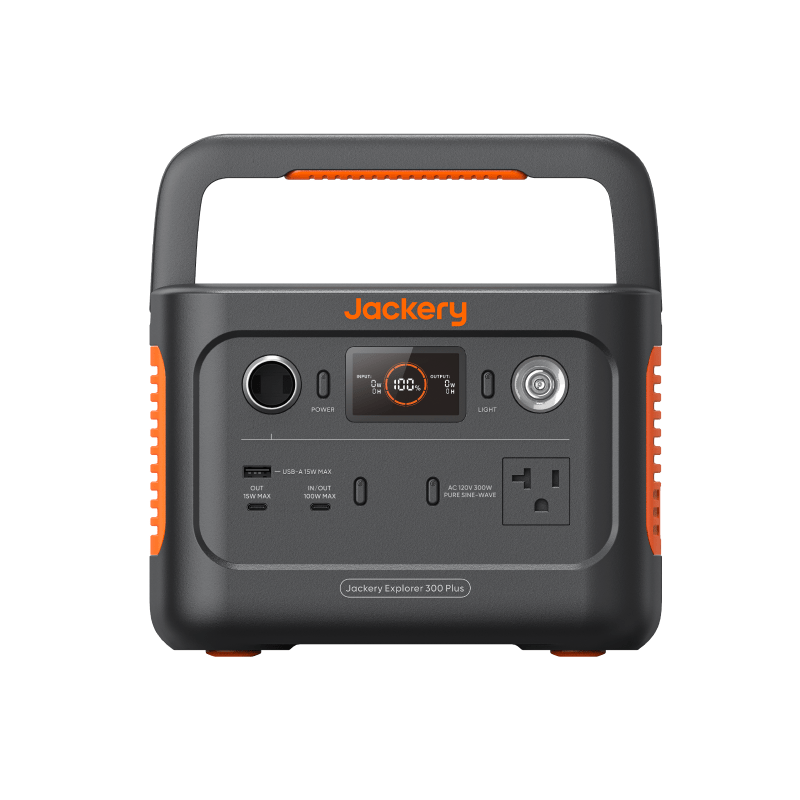
So a “12 hours of internet” target for a typical setup means shopping in the 250–300Wh range. You can run the math in either direction: if you already own a battery, the battery runtime calculator tells you how long it will carry your load, and the power station sizing calculator does the forward math for any wattage and runtime you enter.
Battery sizes for 4, 12, and 24 hours
Here is that math worked out for a light setup and a heavy one:
| Target runtime | Light setup (15W) | Heavy setup (25W) |
|---|---|---|
| 4 hours | ~80Wh | ~130Wh |
| 12 hours | ~235Wh | ~390Wh |
| 24 hours | ~470Wh | ~785Wh |
Figures assume 85% conversion efficiency and a 10% reserve, rounded to the nearest 5Wh.
Two useful readings from that table. First, even a full day of internet fits inside the small end of the power station market — see how the capacity classes line up. Second, if your goal is simply “survive a typical two-to-four-hour outage,” you need very little battery, which is exactly the niche the next section covers.
Why a small UPS is often the right answer
For short outages, an uninterruptible power supply (UPS) — the kind sold for desktop computers — is usually the simplest solution. It sits between the wall outlet and your gear permanently, and when the power blinks, it switches to battery in milliseconds. Your video call doesn’t drop, your router doesn’t reboot, and there is nothing to plug in during the outage because it was already connected.
Be honest about the runtime side, though. Entry-level UPS units carry modest batteries; many will run a 15–25W networking load for a few hours, not a full day. The headline “600VA”-style rating describes the maximum load a UPS can support, not how long it lasts, so look for the manufacturer’s runtime chart at low loads before you buy. If your outages routinely run longer than an evening, a UPS for the instant switchover plus a power station for endurance is a common pairing — the power station vs UPS vs power bank guide walks through those trade-offs.
The 12V trick: skip the inverter
Most routers and modems don’t actually run on AC. Their wall adapter converts household power down to DC, very commonly 12V. That opens a useful shortcut: many power stations, and some power banks, offer a regulated 12V output — a car-style socket or a dedicated barrel jack. Powering your router directly from that DC output skips the battery’s inverter entirely.
It matters more than it sounds. Inverters are at their least efficient with tiny loads, and some burn several watts just being switched on. At a 15W load, inverter overhead can eat a meaningful slice of your stored energy, so going DC-direct can stretch the same battery noticeably further on a multi-hour run.
The cautions are real, so treat this as an intermediate move: match the voltage exactly (a 12V router on a higher-voltage supply is a dead router), confirm the output is regulated, get the barrel connector size and polarity right, and make sure the DC port can supply the amperage your device needs. Purpose-made DC cable kits exist for exactly this job.
Check your own gear before you buy
Five minutes of verification beats any table of averages:
- Read the output line on every adapter in your networking stack — router, modem, and any mesh nodes or switches you’d want running.
- If you have fiber service, find the ONT (optical network terminal). It needs backup power too, and it is often installed in a closet or garage away from your router.
- For a real number instead of a ceiling, an inexpensive plug-in watt meter shows actual draw — let it log for a day to catch the average.
- Count everything you’d power at once. Each mesh node adds 5–10W to the budget, which changes the table above.
Next steps
- Run your own numbers in the battery runtime calculator.
- Add the whole network stack—or phones, lights, and a laptop—with the Multi-Device Power Station Calculator.
- Using satellite as a fallback? Compare the published-spec fits in the Starlink and home-internet backup guide.
- Compare UPS vs power bank vs power station before choosing the hardware.
- See category-level products and runtime estimates in the comparison hub.
- Read the full walkthrough on keeping your router and modem alive during an outage.