These three product types get lumped together as “backup power,” but they solve different problems. Buying the wrong one is a common and expensive mistake in both directions: a power station is overkill for keeping a phone alive, and a power bank cannot save a desktop computer from a half-second power blip.
UPS vs power bank: the key difference
A UPS prevents interruption: it stays between the wall and AC equipment, then switches to battery fast enough to keep a router, desktop, or network drive from rebooting. A power bank provides portable charging: it carries USB energy for phones, tablets, and compatible laptops, but it does not switch automatically when wall power fails. If the problem is a reboot, start with a UPS. If the problem is a low battery away from an outlet, start with a power bank.
| Question | UPS | Power bank |
|---|---|---|
| Primary job | Keep plugged-in equipment running without interruption | Recharge portable USB devices |
| Output | AC outlets; some models also include USB | USB-C and USB-A; AC is uncommon |
| Switchover | Automatic, measured in milliseconds | None |
| Portability | Designed to stay under a desk or beside network gear | Designed for a bag or pocket |
| Best first use | Router, modem, desktop, or NAS | Phone, tablet, hotspot, or USB-C laptop |
Start with the failure you are trying to prevent
Choose a UPS when a restart is the problem: it keeps a router, modem, desktop, or network drive running through a short power cut. Choose a power bank when you only need USB power for a phone, tablet, or compatible laptop. Choose a portable power station when the real question is hours of runtime, AC outlets, or recharging from a car or solar panel. That one distinction rules out most bad purchases before you compare brands.
What each device actually is
Power bank
A power bank is a USB battery — typically 10 to 100Wh (roughly 3,000 to 27,000mAh) — built to recharge phones, tablets, earbuds, and, through USB-C Power Delivery, many modern laptops. Most have no AC outlet at all. In exchange, it’s pocketable, inexpensive, and generally welcome in carry-on luggage (airlines commonly allow batteries up to 100Wh without approval).
UPS (uninterruptible power supply)
A UPS is a battery that sits between the wall and your equipment. Its job is not long runtime: it switches to battery the instant wall power fails, so always-on devices never lose power even for a moment, then carries them for minutes to a few hours. Consumer UPS batteries are modest by design, the unit stays plugged in permanently, and it is not portable in any meaningful sense.
Portable power station
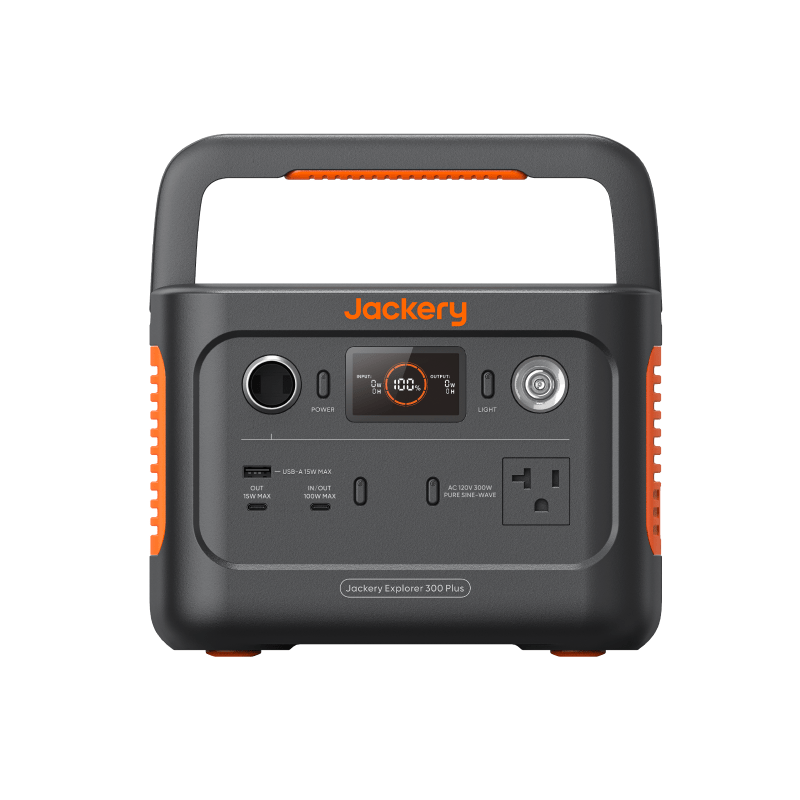
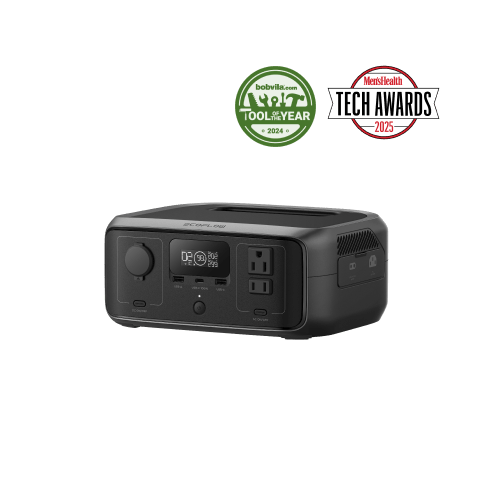
A power station is a large battery — roughly 150Wh to well over 2,000Wh — with an inverter and a spread of ports, including real AC outlets. It’s the general-purpose option: it runs most household electronics anywhere, recharges from the wall, a car, or solar, and can be carried (with varying enthusiasm) wherever it’s needed.
The switchover advantage: why the UPS exists
When power blips, a desktop computer reboots, a network drive risks corrupting whatever it was writing, and a modem drops your video call while it restarts. A UPS transfers to battery in milliseconds — fast enough that connected gear never notices.
Power stations are usually not built for that. Some advertise a UPS mode, but switchover times vary and are not always fast enough for sensitive equipment. If never-reboots behavior is the requirement, buy the tool designed for it.
For gear that simply resumes gracefully — lamps, fans, phone chargers — switchover speed doesn’t matter at all, and paying for it is wasted money.
Capacity, runtime, and cost at a glance
| Power bank | UPS | Portable power station | |
|---|---|---|---|
| Typical capacity | 10–100Wh | Modest internal battery (varies by model) | 150–2,000Wh+ |
| AC outlets | Rarely | Yes | Yes |
| Instant switchover | No | Yes — milliseconds | Varies; often not guaranteed |
| Runtime for a ~10W router | Roughly 3–7 hours, with the right adapter | Often one to a few hours, model-dependent | Roughly a day per 300Wh of capacity |
| Portability | Pocket or bag | None — it stays at the desk | Luggable, 5 to 45+ lb |
| Recharge sources | USB | Wall only | Wall, car, solar |
| Typical cost | Lowest | Low to moderate | Moderate to high, scaling with capacity |
The router runtime line uses this site’s standard assumptions (85% efficiency, 10% reserve). The Battery Runtime Calculator lets you run your own numbers for any device.
Portability and recharging
The differences here are just as decisive as capacity. A power bank rides in a jacket pocket and recharges from any USB port. A UPS is furniture — it protects one desk or one shelf of network gear and recharges only from the wall, which means a long outage eventually exhausts it with no way to refill. A power station is the only one of the three with an off-grid recharge story: car charging on a drive, or a solar panel during a multi-day outage. That flexibility is a large part of what the higher price buys.
Decision rules by scenario
- You want internet that survives short outages untouched. Put a UPS on the modem and router — our router and modem backup guide covers sizing.
- You need to work a full day without wall power. That’s a power station sized to your laptop; see laptop battery backup for a full workday.
- You mostly care about phones, commuting, or travel. A large power bank covers it for the least money.
- You run a desktop computer or home server. A UPS is the only option with guaranteed instant transfer.
- You want one flexible unit for outages, trips, and the backyard. A power station is the only one that stretches across all of it — our guide on choosing one without overspending helps you size it honestly.
Combos that make sense
These devices are complements, not competitors, and modest combinations often beat one large purchase:
- UPS + power bank. The budget resilience pair: internet stays up through short outages, phones stay charged through long ones.
- UPS + power station. The UPS bridges the blink so nothing reboots; when an outage stretches on, you move the router’s plug to the station for the long haul.
- Power station + power bank. The station anchors home backup; the bank travels with you and recharges from the station when needed.
Buying two right-sized devices over time is usually smarter than stretching one device across every job. If you’re unsure where your situation lands, the Gear Finder narrows it down in six questions.
Next steps
- Answer six questions in the Gear Finder to get a suggested setup type and capacity range.
- Compare these categories side by side in the comparison hub.
- Estimate runtime for your own devices with the Battery Runtime Calculator.