The part you can’t control: your provider’s network
When the power goes out, two separate things need electricity: the equipment in your home, and your provider’s network between you and the wider internet. You control the first. The second varies more than most people expect, and it’s worth understanding before you spend money.
- Fiber is the most outage-friendly technology. In most designs, the line between your home and the provider is passive glass that needs no power along the route. If the provider’s hub facilities have backup — they usually do — your service often keeps working as long as you can power the ONT and router in your home.
- Cable internet depends on powered amplifiers and nodes spread through the neighborhood. Providers typically fit these with batteries good for a few hours. In a short, local outage, cable usually survives; in a long or widespread one, the network side can go down even while your own gear hums along.
- DSL rides phone lines fed from central offices, which historically carry deep battery and generator backup. Where DSL still exists, it tends to ride out local outages well.
- 5G and fixed-wireless home internet depend on the nearest tower’s backup, commonly batteries measured in hours. Fine for a blink, less certain for a long night.
None of this is a guarantee in either direction — practices differ between providers and even between neighborhoods, and the only definitive answers come from your own outage experience or from asking your ISP directly. The honest takeaway: powering your own gear is still the right move, because most outages are short and local, and even when the line dies a live router gives you a graceful path to a fallback. The backup internet power planning guide covers fallback paths in depth; if satellite is your fallback, add its draw with the satellite internet backup power guide.
| Connection type | What you must power at home | Network-side reality |
|---|---|---|
| Fiber | ONT + router, ~12–20W | Passive line; often survives if provider hubs have backup |
| Cable | Modem + router, ~15–25W | Neighborhood equipment runs on batteries, typically a few hours |
| DSL | Modem/router, ~10–15W | Central offices usually have deep backup |
| 5G / fixed wireless | Gateway, ~10–25W | Tower batteries vary; think hours, not days |
No-drop switchover: why a UPS earns its spot
If you work from home, the difference between “internet comes back after I scramble for a battery” and “internet never blinked” is the whole game. A UPS (uninterruptible power supply) delivers the second outcome: it sits between the wall and your gear full-time and switches to battery in milliseconds when the power fails. Your video call continues, your router never reboots, and downloads keep moving.
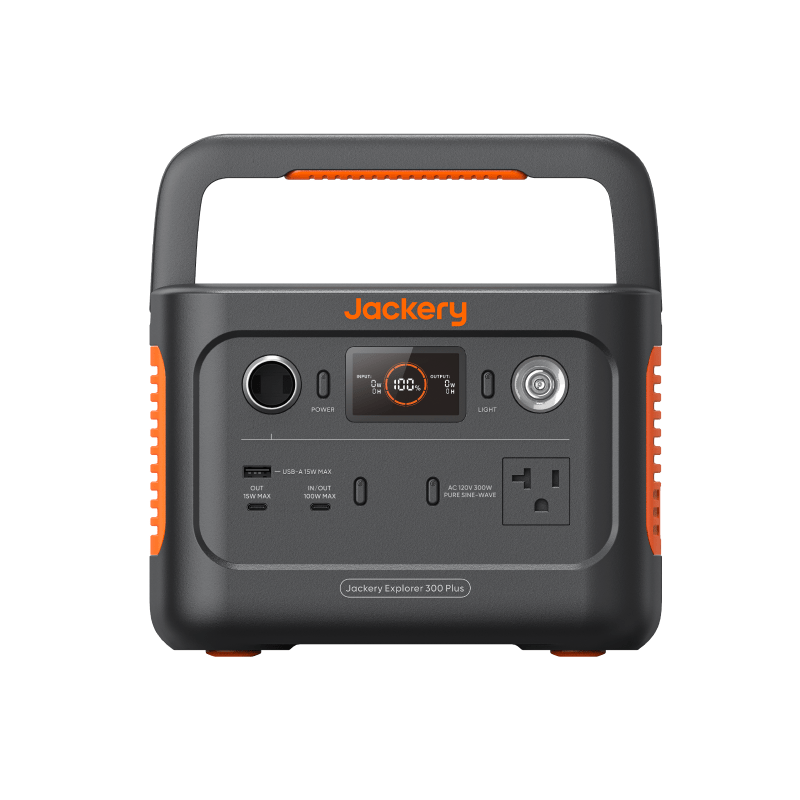
That instant switchover is the UPS’s real job. Its weakness is endurance — entry-level units carry small batteries that run a router-scale load for a few hours at best. Think of the UPS as the first responder and a larger battery as the endurance layer.
Sizing for multi-hour outages
A router and modem together typically draw 15–25W. Using standard planning assumptions (85% conversion efficiency, 10% reserve), 12 hours of runtime needs roughly 235–390Wh, and a full day needs 470–785Wh. Both targets sit comfortably in the small end of the power station market. The worked table and the 12V DC trick that stretches these numbers further are in the router battery sizing guide.
To check any specific battery against your own gear, put your measured wattage into the battery runtime calculator — it shows runtime before and after the reserve so you can see your real margin. If you’re still choosing between a UPS, a power station, or both, the comparison hub lays the options side by side.
Placement and cabling practicalities
A few unglamorous details decide whether your setup actually works on the night it matters:
- Use the right outlets. Most UPS units split their outlets into battery-backed and surge-only. Modem, router, and ONT go on battery-backed; anything optional goes elsewhere. It’s an easy mistake to discover during an outage.
- Find every box in the chain. Fiber ONTs are often installed in a garage, basement, or closet far from the router. A backed-up router with a dead ONT has no internet. Each location needs its own backup power.
- Don’t share the network UPS with a desktop computer. A desktop can draw ten to twenty times what your router does and will flatten the battery in minutes. Give the networking stack its own small UPS.
- Leave slack and label things. If you plan to move the router onto a power station for a long outage, make sure cords reach and you know which adapter belongs to which box before the lights are out.
- Silence the alarm thoughtfully. Many UPS units beep continuously on battery. Find the mute setting before an overnight outage finds you.
Test it before you need it
An untested backup plan is a guess. Twice a year, run this drill:
- Unplug the UPS (or power station) from the wall while your gear runs on it.
- Confirm the internet actually works — this also tells you whether your provider’s network survives a local interruption.
- Time the run at least once until the low-battery warning, so you know your real runtime rather than the brochure number.
- Plug back in and confirm everything — modem, router, ONT — recovers without you touching it.
Retest after any equipment change, and remember that UPS batteries age: most need replacement every three to five years, and runtime fades before they fail outright.
Next steps
- Check your setup’s real runtime with the battery runtime calculator.
- Size a battery for your exact gear with the router battery sizing guide.
- Add a satellite terminal to the plan with the satellite internet backup power guide.
- Compare UPS units and small power stations in the comparison hub.