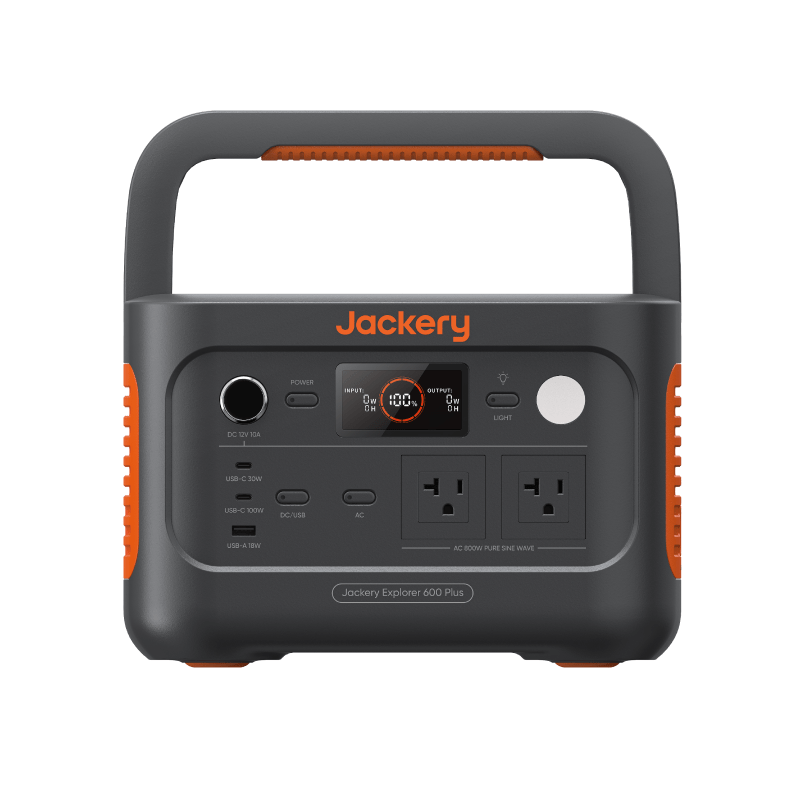
Most emergency power advice quietly assumes you have a garage, a yard, and a place to run a generator. Apartments have none of that — and that changes the plan more than any spec sheet does. The good news: a 12–48 hour urban outage is one of the most solvable backup power problems there is, and solving it doesn’t require much storage space or much money.
Why apartments need a different plan
Three constraints shape everything:
- No combustion, ever. Fuel generators emit carbon monoxide and must never run indoors — and a balcony is not “outdoors” for this purpose. Apartment backup power means batteries, UPS units, and power banks. Full stop.
- Limited storage. Whatever you buy lives in a closet or under a desk. A unit you can lift comfortably and stash on a shelf will actually stay charged and reachable; a 60-pound monolith becomes furniture.
- No roof solar. You can’t mount panels, so recharging during an extended outage means a windowsill or balcony panel at best — useful, but a trickle. Your plan should work on stored energy alone.
The upside of apartment life: outages tend to be shorter in dense urban grids, your loads are small, and everything you need fits in one cabinet.
What actually matters in a 12–48 hour outage
It’s tempting to imagine powering your whole apartment. In practice, five things carry nearly all the value:
| Priority | Load | Typical draw | What covers it |
|---|---|---|---|
| 1 | Phones | 5–10W while charging | Any power bank |
| 2 | Internet (router + modem) | 10–25W | UPS or small station |
| 3 | Lights (LED lamp or string) | 5–10W | Small station |
| 4 | Laptop | 30–60W | 300Wh-class station |
| 5 | Medical devices, if any | varies — verify | Sized to the device |
Notice what’s missing: the fridge. Refrigeration is the point where apartment backup gets genuinely expensive — a mini fridge for 24 hours needs a four-figure watt-hour class of its own. It deserves a separate decision, which we walk through in small fridge backup power basics. For a first outage kit, a closed fridge holds safe temperatures for several hours on its own, and a cooler with ice extends that cheaply; use the food-safety outage clock to decide when food must move or be discarded.
Everything in the table above, running generously for 24 hours, sums to roughly 500–900Wh — squarely in the 500–1,000Wh station class, or the 300–500Wh class if you’re frugal with the laptop. The Gear Finder will size this against your actual answers in about a minute.
The apartment checklist, in priority order
- List your critical loads. Write down the five things you’d genuinely miss in 24 hours. For most people: phones, internet, light, laptop, and any medical device.
- Get real wattage numbers. Check device labels or the Device Wattage Library — guessing high leads to overspending, guessing low leads to a dead battery at hour 16.
- Cover phones first. A 25,000mAh power bank (~90Wh) recharges a phone several times and costs little. This is the highest value-per-dollar purchase in the whole plan.
- Cover internet second. Your router and modem draw 10–25W. A small UPS keeps them from even blinking; a small power station runs them for a full day. Details in router and modem backup during an outage.
- Add lighting. A couple of rechargeable LED lanterns or a lamp on the station. Skip candles.
- Size one main battery. Run your loads through the Gear Finder or the runtime calculator and buy one station in the class it recommends — not the class above it “just in case.”
- Handle medical devices explicitly. Confirm power requirements with the device manufacturer and size for them first, with margin.
- Do a cable audit. The right USB-C, barrel, and extension cables, stored with the battery. Outage night is a bad time to discover the one cable you need is at the office.
- Write the one-page plan. Where the gear is, what plugs into what, in what order. Tape it inside the cabinet door.
Balcony and windowsill solar: honest expectations
A folding 60–100W panel propped on a balcony rail, through glass or at a poor angle, often yields 20–50W in practice — a phone-and-power-bank trickle, not a station recharger. If your balcony gets hours of direct, unobstructed sun, a panel becomes a genuine range extender for multi-day events; otherwise treat it as a nice-to-have. Run your realistic numbers through the Solar Recharge Calculator before buying one for this purpose.
Building and community considerations
A little coordination multiplies everyone’s preparedness. Find out whether your building has emergency lighting and whether the water supply depends on electric pumps (in many mid-rises it does — store some water). Common areas or a neighbor’s unit may keep power when yours doesn’t. And a spare power bank is the easiest generous thing you can hand a neighbor at hour 20.
Storage and the quarterly habit
Batteries degrade quietly. Store your station cool, dry, and partially charged (most manufacturers suggest 50–80% for lithium chemistry). Then put a recurring reminder on your calendar every three months: top the battery up, plug one real device into it for a few minutes, confirm the power bank still holds charge, and glance over the cable kit. Ten minutes, four times a year, is the difference between owning backup power and having backup power.
Next steps
- Answer six questions in the Gear Finder to get a sized recommendation for your apartment.
- Look up your actual devices in the Device Wattage Library before you buy anything.
- Working with a tight budget? Start with the budget backup power setup guide.