Best picks · Internet outages Published July 9, 2026

Best Backup Power for Starlink & Home Internet

When the grid drops, satellite internet keeps working — if you can feed it. Honest sizing for Starlink terminals and ordinary router-modem setups, from an evening outage to around-the-clock, and the batteries we'd buy.

Our internet backup picks

Some links on this page may be paid links. If you buy through them, Cynosure LLC may earn a commission at no extra cost to you. We do not claim to have personally tested products unless clearly stated.

EcoFlow

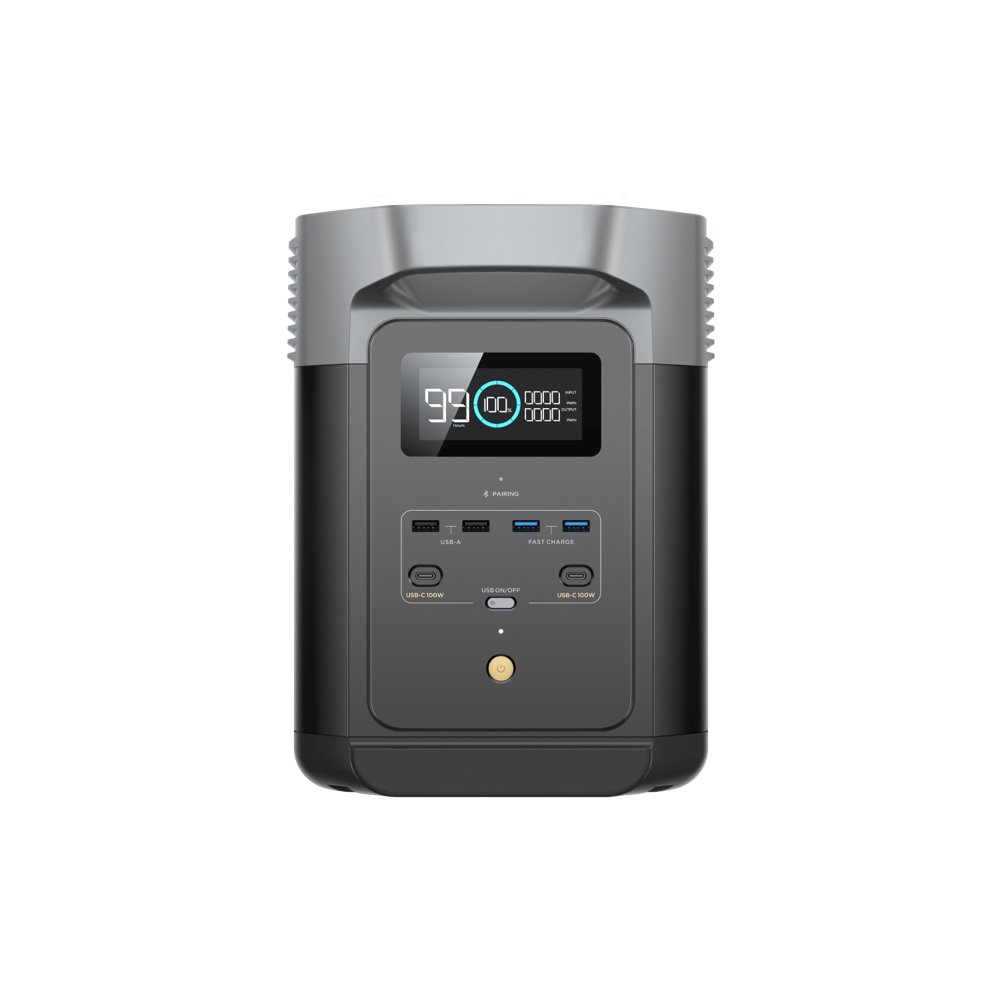
EcoFlow DELTA 2 Portable Power Station

  • 1,024Wh
  • 1,800W AC
  • $499–$999

A standard residential dish for an 8-hour workday needs about 784 Wh by our formula — this is the station it picks. Expandable later if outages in your area argue for more.

  • Standard dish (~75W): ≈ 10 hr 27 min — a full workday and change
  • Mini-class terminal (~30W): ≈ 26 hr 7 min — a day of heavy use

Around-the-clock standard-dish coverage (~2,353 Wh recommended) exceeds every portable station we list — for multi-day outages, plan on solar recharge plus duty-cycled connectivity windows rather than one giant battery.

Price last checked 2026-07-09 · not hands-on tested by us — verify capacity, output, surge rating, and current price on the listing.

EcoFlow

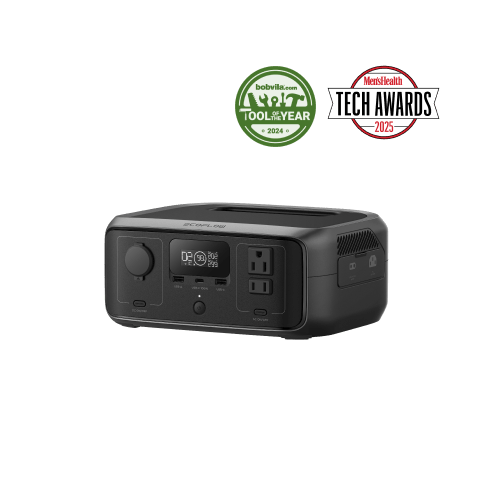
EcoFlow RIVER 3 Portable Power Station

  • 245Wh
  • 300W AC
  • $149–$219

If the job is keeping a 15W cable/fiber gateway alive — or a Mini-class terminal through an evening — this budget unit does it for the least money, and its pass-through design means the router can stay plugged in through it full-time.

  • Cable/fiber router + modem (~15W): ≈ 12 hr 30 min per charge
  • Mini-class terminal (~30W): ≈ 6 hr 15 min — an evening, not a day

245Wh is the honest ceiling here — a standard dish drains it in about 2.5 hours. Buy this class for the gateway or a Mini, not for a full-size dish.

Price last checked 2026-07-09 · not hands-on tested by us — verify capacity, output, surge rating, and current price on the listing.

Prices last checked between 2026-07-08 and 2026-07-09

The math: watts × hours, three ways

"Backup power for internet" spans a 10× range depending on your hardware, so size for what you actually own. The grid below applies our standard published formula — 85% inverter efficiency, 10% reserve — to the three common cases across three outage windows:

Recommended battery capacity by hardware and outage window
Your hardware Evening (4 h)Workday (8 h)Around the clock (24 h)
Cable/fiber router + modem (~15W) 78 Wh 157 Wh 471 Wh
Starlink Mini-style terminal (~30W) 157 Wh 314 Wh 941 Wh
Standard satellite dish (~75W) 392 Wh 784 Wh 2,353 Wh

Wattages are planning ranges from our Device Wattage Library — terminal draw varies by model, firmware, and weather (snow-melt heating can push a dish well above its routine range). The standard-dish 24-hour figure exceeds the largest station we list; that row is what solar recharge and duty-cycling are for.

Two failure modes, one plan

"The internet is down" means one of two things: your power is out, or your provider is. A battery only fixes the first. Starlink's advantage in a regional outage is that it doesn't depend on local infrastructure — which is exactly why pairing a terminal with a battery is such a strong resilience play. If you're on cable or fiber, the same battery keeps your ~15W gateway alive for a day or more, but a provider outage still needs a different upstream: a phone hotspot through a travel router (the fourth item in the comparison table) or a satellite fallback. Our backup internet planning guide walks the whole decision.

Stretching a battery through a long outage

Two levers matter more than buying bigger. First, duty-cycling: power the terminal for scheduled windows and shut it down between them — each power-up costs a few minutes of reacquisition at elevated draw, so windows under half an hour waste a meaningful share on booting. Second, recharge: a 100W panel returns roughly 315Wh per day in reasonable sun under our published solar assumptions, which sustains a Mini-class terminal used several hours daily indefinitely. The satellite internet guide covers both in depth, including when DC-direct powering is worth it.

Size it yourself for your exact gear

Some links on this page may be paid links. If you buy through them, Cynosure LLC may earn a commission at no extra cost to you. We do not claim to have personally tested products unless clearly stated.

The links open the Multi-Device Load Builder pre-loaded with a terminal plan. Swap in your real hardware — standard dish, Mini, or just the router — and add phones or a laptop to see the whole outage plan on one number.

Compare the picks side by side

Some links on this page may be paid links. If you buy through them, Cynosure LLC may earn a commission at no extra cost to you. We do not claim to have personally tested products unless clearly stated.

Internet backup picks, side by side
Product Capacity Output Ports Weight Est. price Ideal for Link
EcoFlow RIVER 3 Portable Power Station EcoFlow 245Wh 300W AC 3× AC outlet (300W, 600W X-Boost), USB-C, USB-A, Car port 8.4 lb $149–$219 Keeping a router, modem, phones and small electronics running for hours, A light, grab-and-go outage or travel unit, Fast recharge with sub-20ms UPS passthrough
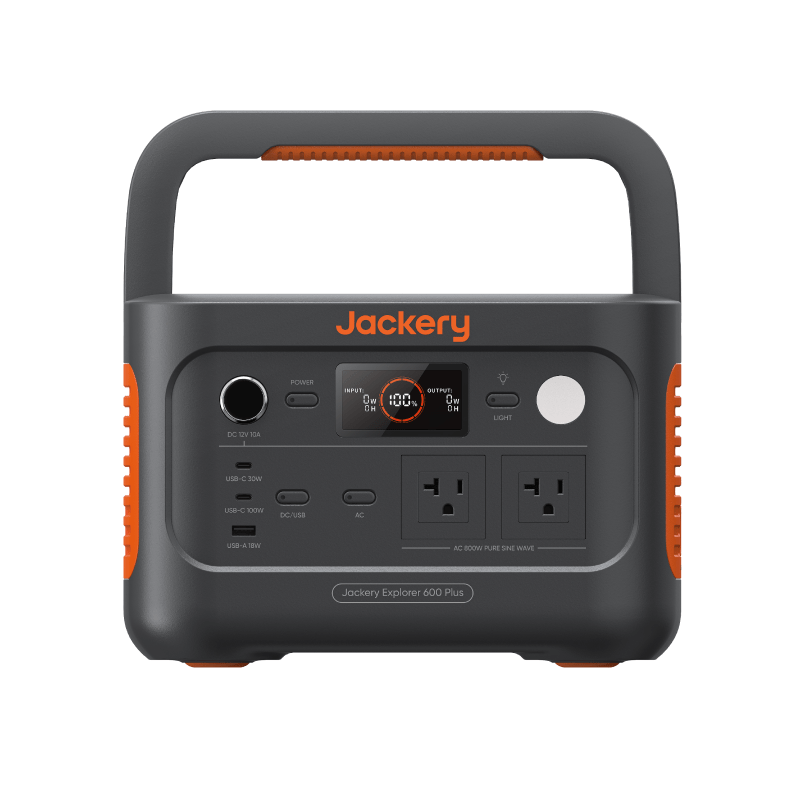
Jackery Explorer 600 Plus Portable Power Station Jackery 632Wh 800W AC AC ×2 (800W total, 1600W surge), USB-C 100W, USB-C 30W, USB-A 18W, 12V car port 16.1 lb $300–$500 A full laptop workday plus phone charging, A day or more of router and modem backup, Weekend camping electronics, Fans, lights, and a CPAP-class device together
EcoFlow DELTA 2 Portable Power Station EcoFlow 1,024Wh 1,800W AC 4× AC outlet (1800W, 2700W surge), 2× USB-C (100W), 2× USB-A, Car port 27 lb $499–$999 Carrying a fridge plus electronics through a multi-hour outage, Home backup you can expand later (to 2048Wh+ with add-on batteries), Fast recharge — roughly 0–80% in under an hour
GL.iNet Beryl AX (GL-MT3000) Wi-Fi 6 Travel Router GL.iNet USB-C power input (5V/3A), 2.5G WAN Ethernet, 1G LAN Ethernet, USB 3.0 0.43 lb $80–$110 Running Wi-Fi from a power bank during outages (rated power draw under 8W), Sharing a phone hotspot or USB tether with laptops and smart devices, Hotel, RV, and travel networking with built-in VPN support

Prices last checked between 2026-07-08 and 2026-07-09

Real products we recommend for this scenario — we haven't hands-on tested them, so confirm current specs and price on the listing. We may earn a commission, at no extra cost to you.

Get the free Emergency Power Planning Checklist

The printable checklist now — then short, occasional notes when one of our recommended picks changes or we spot a real price drop. Nothing on a schedule, unsubscribe anytime.

Frequently asked questions

How much power does Starlink actually use?

Compact Starlink Mini-style terminals typically draw 20–40W in routine use; standard residential dishes run 50–100W or more, with higher peaks while acquiring satellites and during snow-melt heating in cold weather. The spread between models and firmware versions is wide, so treat these as planning ranges and verify your own terminal — a watt meter over a normal evening is the gold standard.

How long will a power station keep Starlink online?

Using our published assumptions (85% inverter efficiency, 10% reserve): a 632Wh station runs a ~30W Mini-class terminal for roughly 16 hr 7 min and a ~75W standard dish for roughly 6 hr 27 min. A 1,024Wh station stretches the standard dish to about 10 hr 27 min — a full workday. Around-the-clock standard-dish coverage needs roughly 2,353Wh, beyond the largest station we list.

Do I also need to power my router?

Standard Starlink kits include their own router, and the wattage ranges above already reflect terminal-plus-router draw for those kits. If your internet is cable or fiber instead, the gateway is the thing to back up: a router and modem together draw only about 15W, which makes home internet one of the cheapest loads on any outage list — a small station covers a full day.

What if the outage outlasts the battery?

Duty-cycle the terminal: power it for scheduled check-in windows and shut it down between them, accepting a few minutes of reacquisition each time it comes back up. Pair that with solar recharge during the day — a 100W panel returns roughly 315Wh in reasonable sun — and a mid-size battery can keep a Mini-class terminal reachable for days. Our satellite internet guide covers the duty-cycling trade-offs in detail.

Affiliate disclosure

Some links on this page may be paid links. If you buy through them, Cynosure LLC may earn a commission at no extra cost to you. We do not claim to have personally tested products unless clearly stated.

Calculations are estimates only. Real runtime depends on battery age, inverter efficiency, device behavior, temperature, surge loads, manufacturer limits, and actual measured wattage. Always verify product specifications before buying or relying on a setup.

This site provides planning estimates, not electrical, medical, or emergency safety advice.